
vite-expert
The open source | Next Generation database editor
npx skills add https://github.com/cin12211/orca-q --skill vite-expertInstallieren Sie diesen Skill über die CLI und beginnen Sie mit der Verwendung des SKILL.md-Workflows in Ihrem Arbeitsbereich.
OrcaQ - Next Generation database editor.






Overview
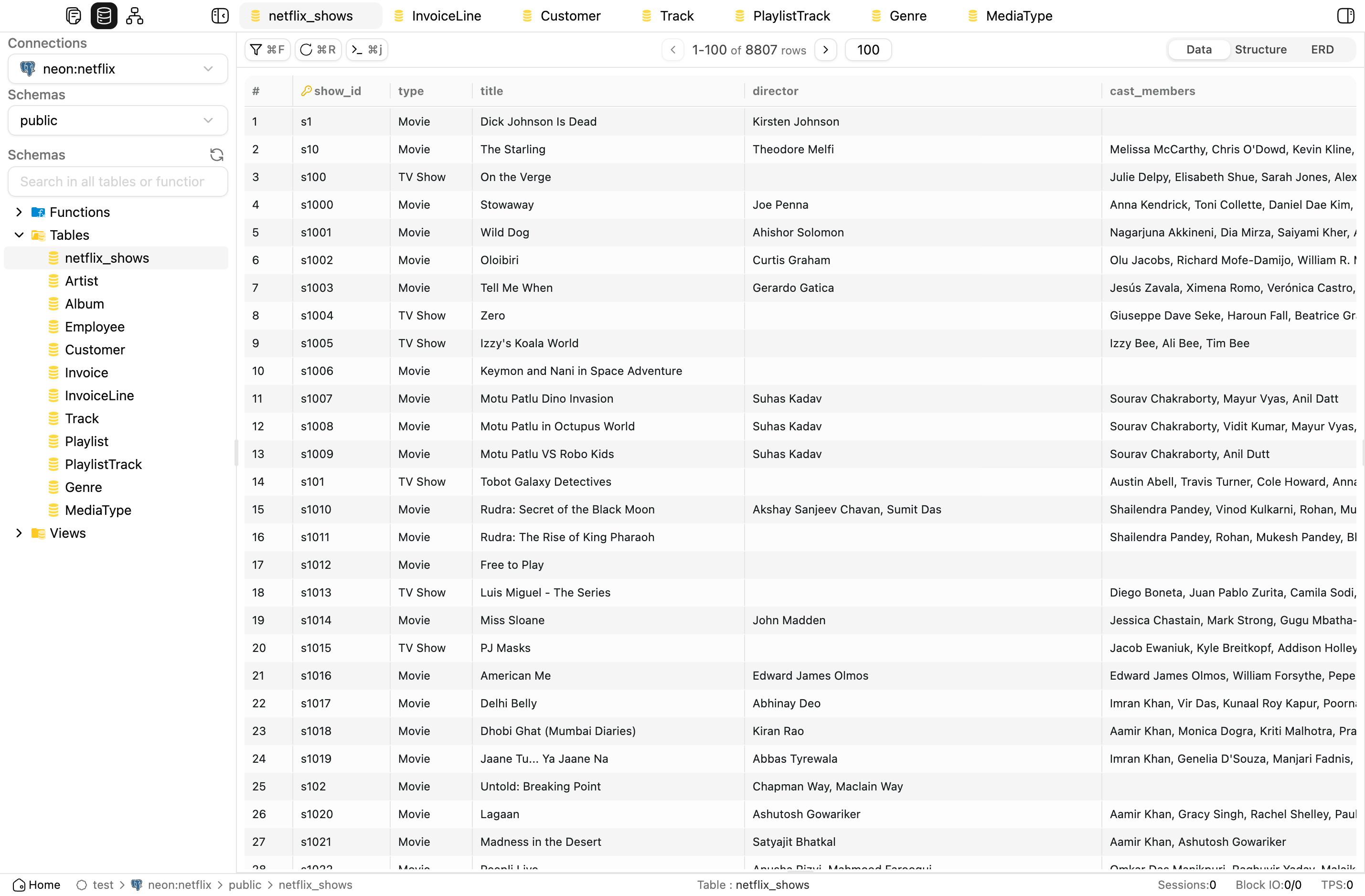
OrcaQ is a modern database editor for managing, querying, and exploring PostgreSQL, MySQL, MariaDB, Oracle, and desktop SQLite data in a fast, intuitive, and secure way.
Installation
 Desktop App
The recommended to experience the full capabilities
Download the latest build from GitHub Releases.
Available for: macOS (.dmg, .zip) · Linux (.AppImage, .deb) · Windows comming soon.
 NPX
NPX
Best for a quick local run without cloning the repo.
npx orcaq
Requires Node.js >= 18. OrcaQ starts on http://localhost:9432.
npxdoes not support SQLite file connections. Use the desktop app for that workflow.
 Local Development
Best for contributing or running the source locally.
git clone https://github.com/cin12211/orca-q.git
cd orcaq
bun install
npm run nuxt:dev
 Docker
Best for a clean local deployment without installing Node.js tooling.
docker run -d \
  --name orcaq \
  --restart unless-stopped \
  -p 9432:9432 \
  cinny09/orcaq:latest
Open http://localhost:9432.
 Supported Databases
| Database | Connection Methods | Core Workflows | Notes |
|---|---|---|---|
 PostgreSQL PostgreSQL |
String, form | Connection test, raw query, schema browse, advanced admin tools | Broadest feature coverage |
 MySQL MySQL |
String, form | Connection test, raw query, minimum metadata and table browsing | Advanced roles, metrics, and instance insights remain unsupported |
 MariaDB MariaDB |
String, form | Connection test, raw query, minimum metadata and table browsing | Uses a distinct persisted mariadb type |
 Oracle Oracle |
String, form | Connection test, raw query, minimum metadata and table browsing | Structured form uses serviceName |
 SQLite SQLite |
File (desktop only) | Connection test, raw query, minimum metadata and table browsing | File picker is available only in the Electron app |
Advanced database-administration features are still intentionally PostgreSQL-first unless a database-specific adapter exists.
Features
 Workspace & Connection Management
- Workspaces: Organize related database connections into named workspaces with custom icons, descriptions, and last-opened tracking.
- Connections: Create and manage PostgreSQL, MySQL, MariaDB, Oracle, and SQLite connections using form fields, connection strings, or desktop file-based SQLite setup.
- Security options: Configure SSH tunnels, SSL modes, connection health checks, and environment tags with strict-mode confirmations for sensitive databases.
 Exploration & Querying
- Schema Explorer: Browse schemas, tables, views, functions, and sequences from a searchable sidebar with context actions like quick query, rename, DDL preview, and ERD open.
- File Explorer: Manage SQL files and folders in a tree view with nested folders, rename/delete actions, search, and drag-and-drop organization.
- Quick Query: Explore table data in a grid with pagination, sorting, filters, inline editing, bulk actions, related-table previews, query logs, and metadata tabs.
- Raw SQL Editor: Write and run multi-statement SQL with CodeMirror, autocomplete, formatting, variables, EXPLAIN analysis, result tabs, and persisted query files.
 Database Tools
- ERD Diagram: Visualize a single table or a full schema as an interactive relationship diagram with zoom, pan, searchable table navigation, and FK edges.
- Roles & Permissions: Manage database roles, inheritance, grants, revokes, and bulk permission updates from a visual interface.
- Instance Insights: Monitor PostgreSQL activity, sessions, locks, replication, and configuration from a built-in database health dashboard.
- Schema Diff: Compare two schemas across connections and generate migration SQL with a safe mode that reduces destructive output.
- Backup & Restore: Run native export/import workflows with format options, scope selection, compression, and job progress tracking.
 AI & Productivity
- Orca Agent: Ask natural-language questions about your database, generate SQL, inspect schemas, explain queries, detect anomalies, visualize data, export results, and render ERDs.
- Safe AI execution: Mutation queries are not auto-executed; OrcaQ shows the SQL and asks for explicit confirmation before applying changes.
- Command Palette: Jump quickly to tables, views, functions, files, ERDs, tabs, and system actions with keyboard-first search.
- Multi-tab workspace: Open tables, queries, ERDs, admin panels, and agent chats side by side while preserving tab state.
 App Experience
- Custom layout system: Use resizable sidebars, multiple panels, saved layout presets, and a status-bar-driven app shell.
- Settings: Configure appearance, code editor behavior, table display, quick query options, AI providers, and environment tags from a unified settings area.
- App data backup: Export and restore workspaces, connections, query files, settings, and AI chat history as app-level backup data.
- Desktop app enhancements: Use SQLite file workflows, in-app updates, recent connections, and multi-window support in the Electron app.
Contributing
We welcome all contributions!
-
Fork the repo and create a new branch:
git checkout -b feat/my-feature -
Follow commit conventions:
feat: ...Add a new featurefix: ...Fix a bugchore: ...Miscellaneous tasksdocs: ...Update documentationrefactor: ...Improve code without changing logic
-
Create a Pull Request:
Clearly describe changes and link to relevant issues (if any). -
Review & Merge:
The core team will review and provide feedback promptly.
See more: CONTRIBUTING.md
Community / Contact
- Issues: GitHub Issues
- Discussions: GitHub Discussions
- Email: [email protected]
License
This project is licensed under the MIT License.
Acknowledgements
- Tauri - Build cross-platform desktop apps with Rust and web technologies
- Vue 3 - Progressive JavaScript framework
- Vite - Next Generation Frontend Tooling
- TypeScript
- Zod - TypeScript-first schema validation
- @vueuse/core - Vue Composition API utilities
- Icon design: Figma Community
- Contributions from the open-source community
Contributors
Many thanks to everyone who has contributed to OrcaQ.
⭐ Stargazers
Many thanks to the kind individuals who leave a star.
Your support is much appreciated!
Made with ❤️ by the OrcaQ team and open-source contributors.