
dokie-ai-ppt
npx skills add https://github.com/myzy-ai/dokie-ai-ppt --skill dokie-ai-pptInstall this skill with the CLI and start using the SKILL.md workflow in your workspace.
中文 | English

Dokie AI PPT Skill
Talk to your AI agent, get professional HTML slides.
Built by dokie.ai
The most powerful AI presentation skill available today. Not just static slides — fully interactive HTML presentations with entrance animations, page transitions, clickable elements, live charts, and even 3D models. Built on web technologies (Tailwind CSS, Chart.js, GSAP, Font Awesome), far beyond what traditional PPT tools can deliver.
Quick Start · Features · See It in Action · Go Further with Dokie
Works with Claude Code, Cursor, Codex, and 35+ AI agents — any agent that supports the open skills ecosystem.
Quick Start
Install the skill:
npx skills add MYZY-AI/dokie-ai-ppt
Ask your agent to create a presentation:
"Make a quarterly report presentation"
"Create a pitch deck for my startup"
"Build a product launch presentation with creative animations"
The skill walks you through each step — collect requirements, pick a theme, review the outline, generate slides, and preview. You stay in control at every step.
Specify an agent
npx skills add MYZY-AI/dokie-ai-ppt -a claude-code
npx skills add MYZY-AI/dokie-ai-ppt -a cursor
Prerequisites
npx dokie-cli themes # Verify Dokie CLI is available
Features
25+ Themes
From business to medical, tech to creative — choose a built-in theme or customize colors, fonts, and decorations to match your brand. Every theme comes with a complete style system including typography, color palette, backgrounds, and decorative elements.
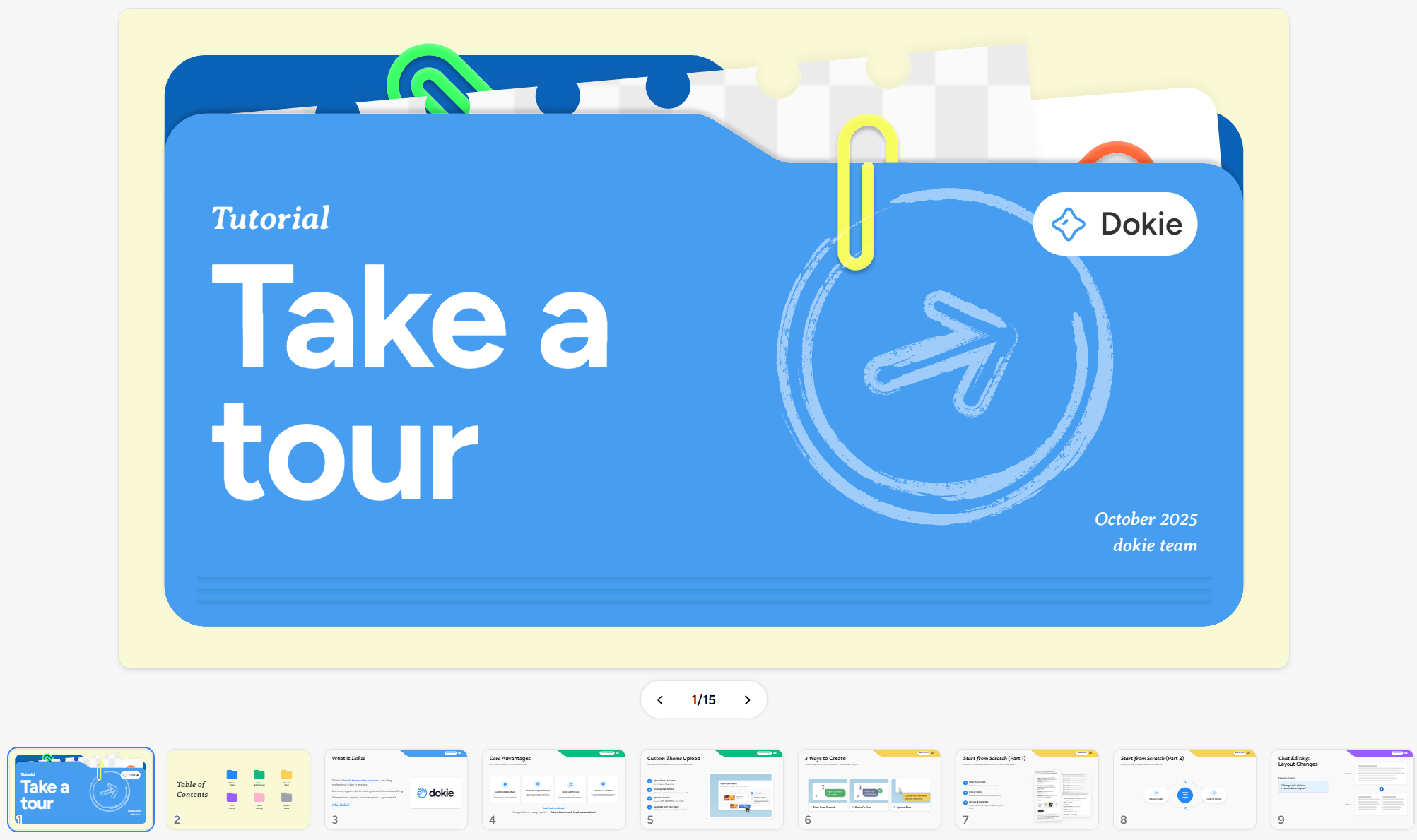
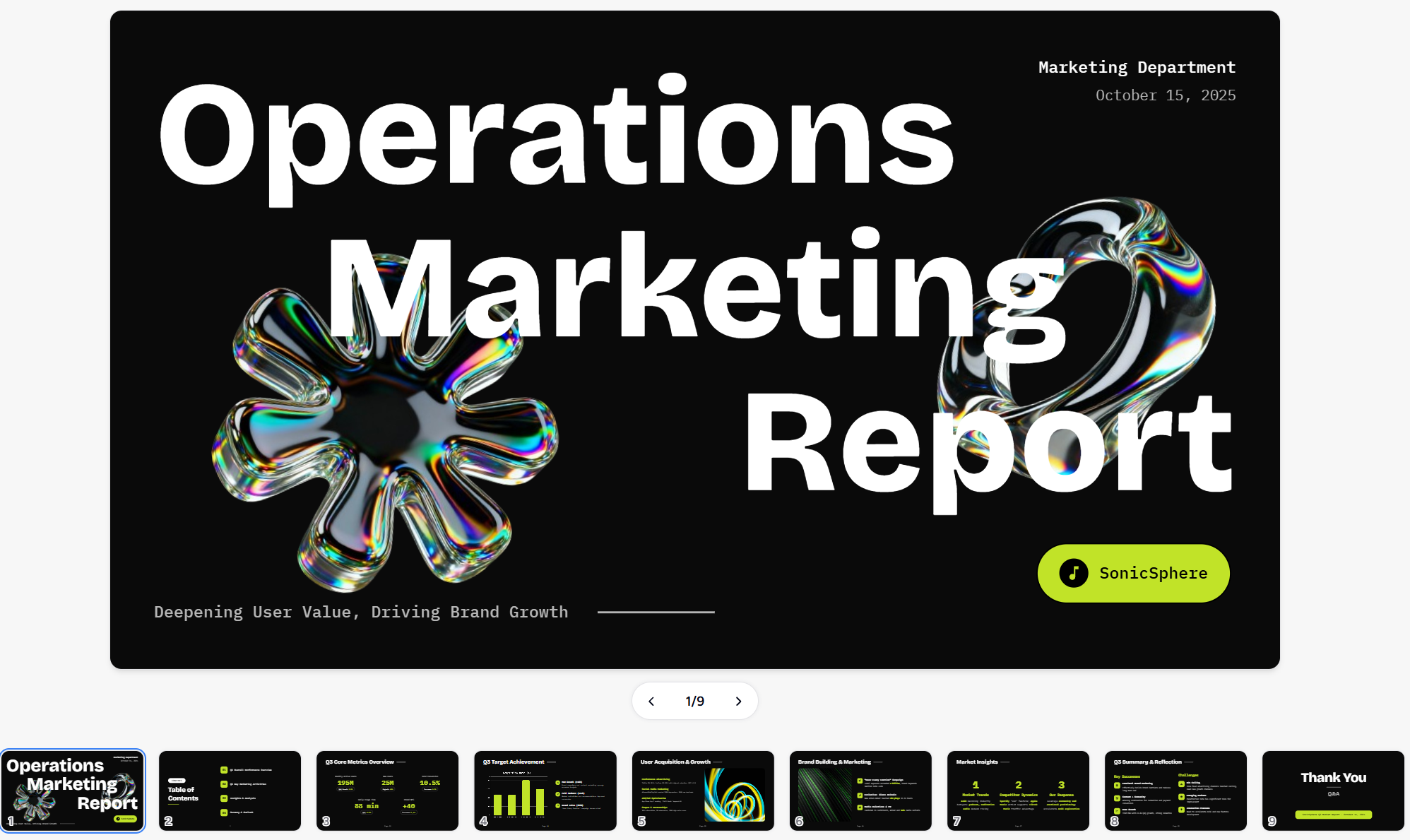

Left: Dokie brand theme · Center: Market analysis theme · Right: Medical professional theme
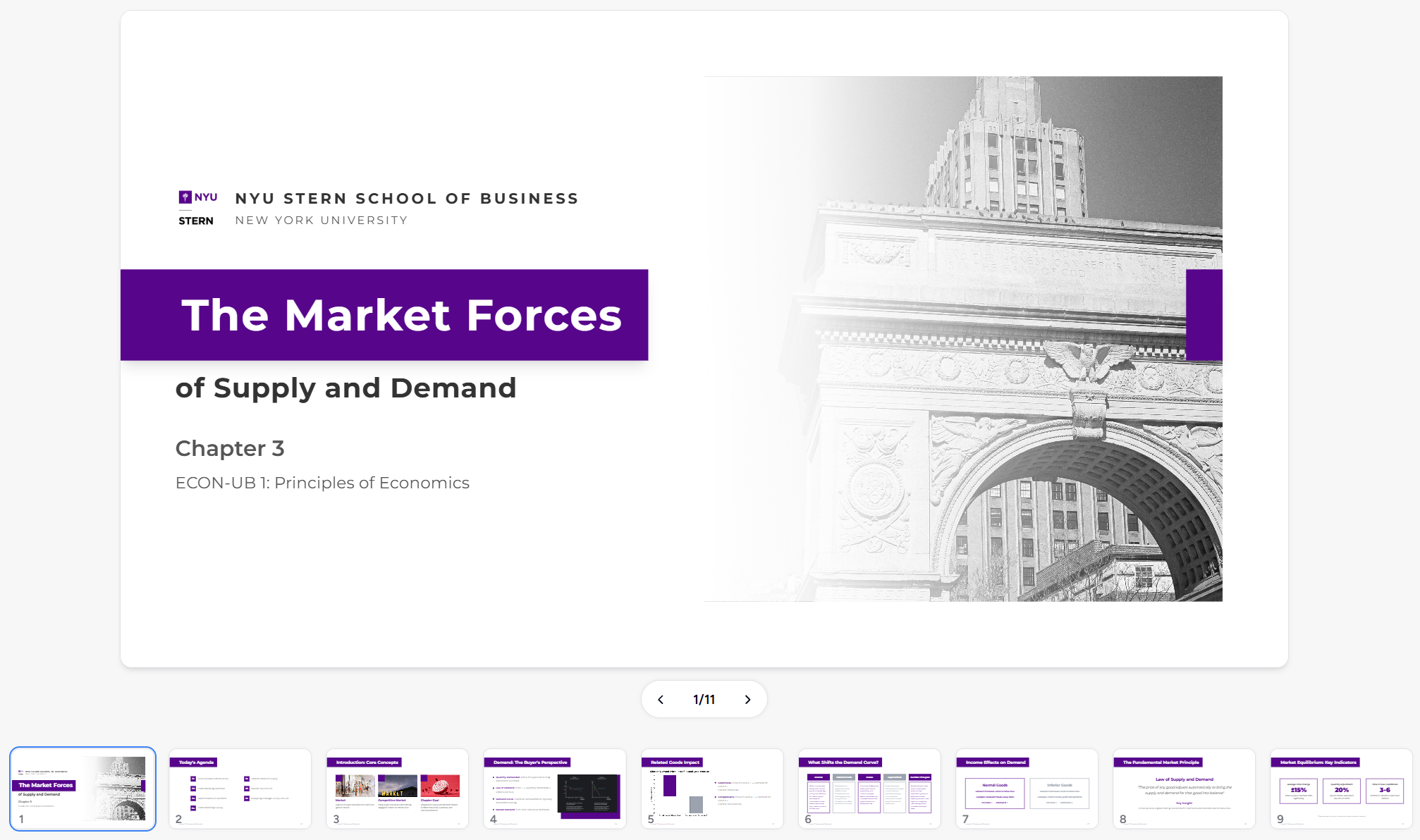
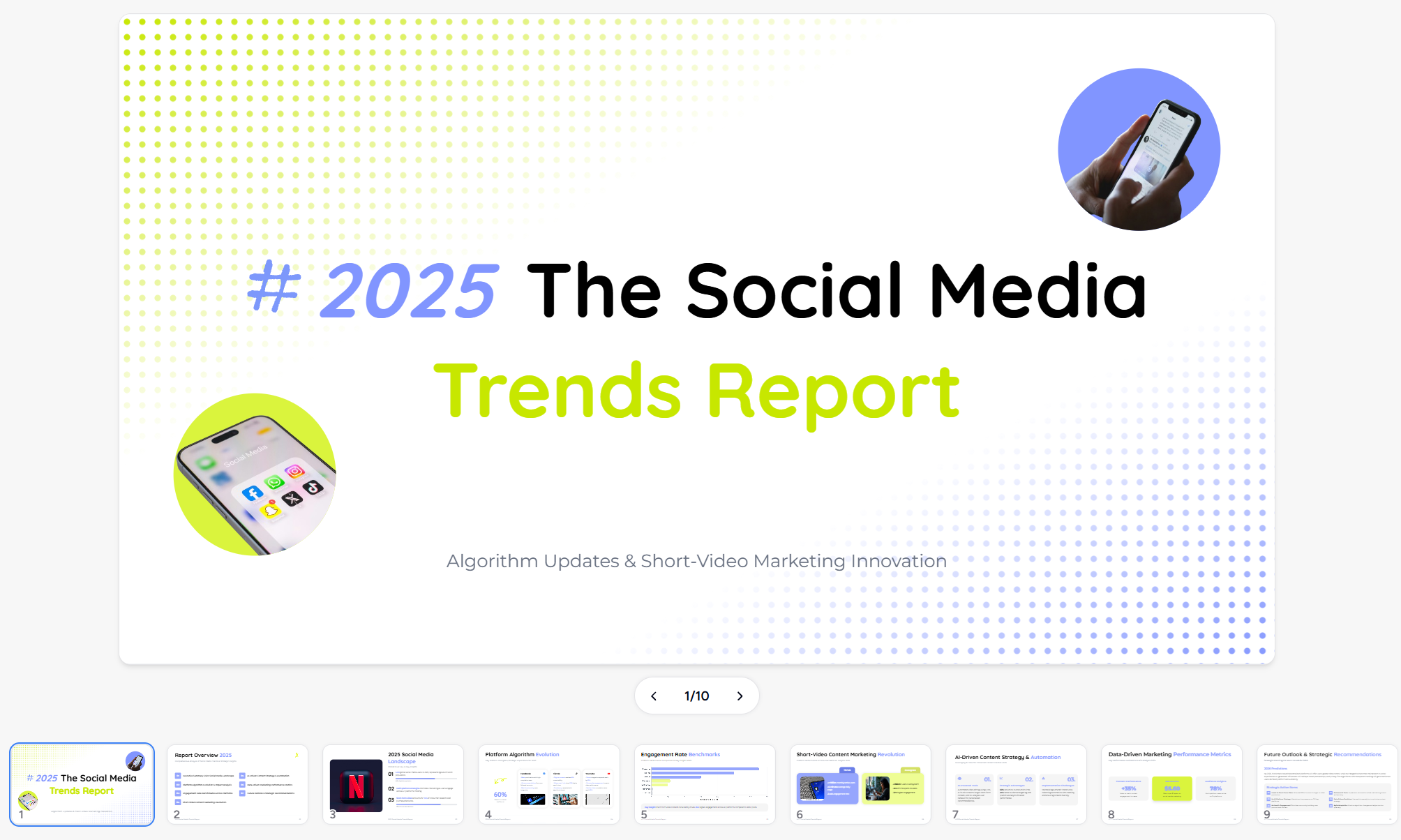

Left: Chinese porcelain style · Center: Trends & data theme · Right: Warm creative theme
10+ Chart Types
Bar, line, pie, radar, bubble, pyramid, funnel, timeline, flowchart, quadrant — all rendered live in HTML with Chart.js. No static images, no screenshots — real interactive charts embedded directly in your slides. Data updates? Just change the numbers and refresh.
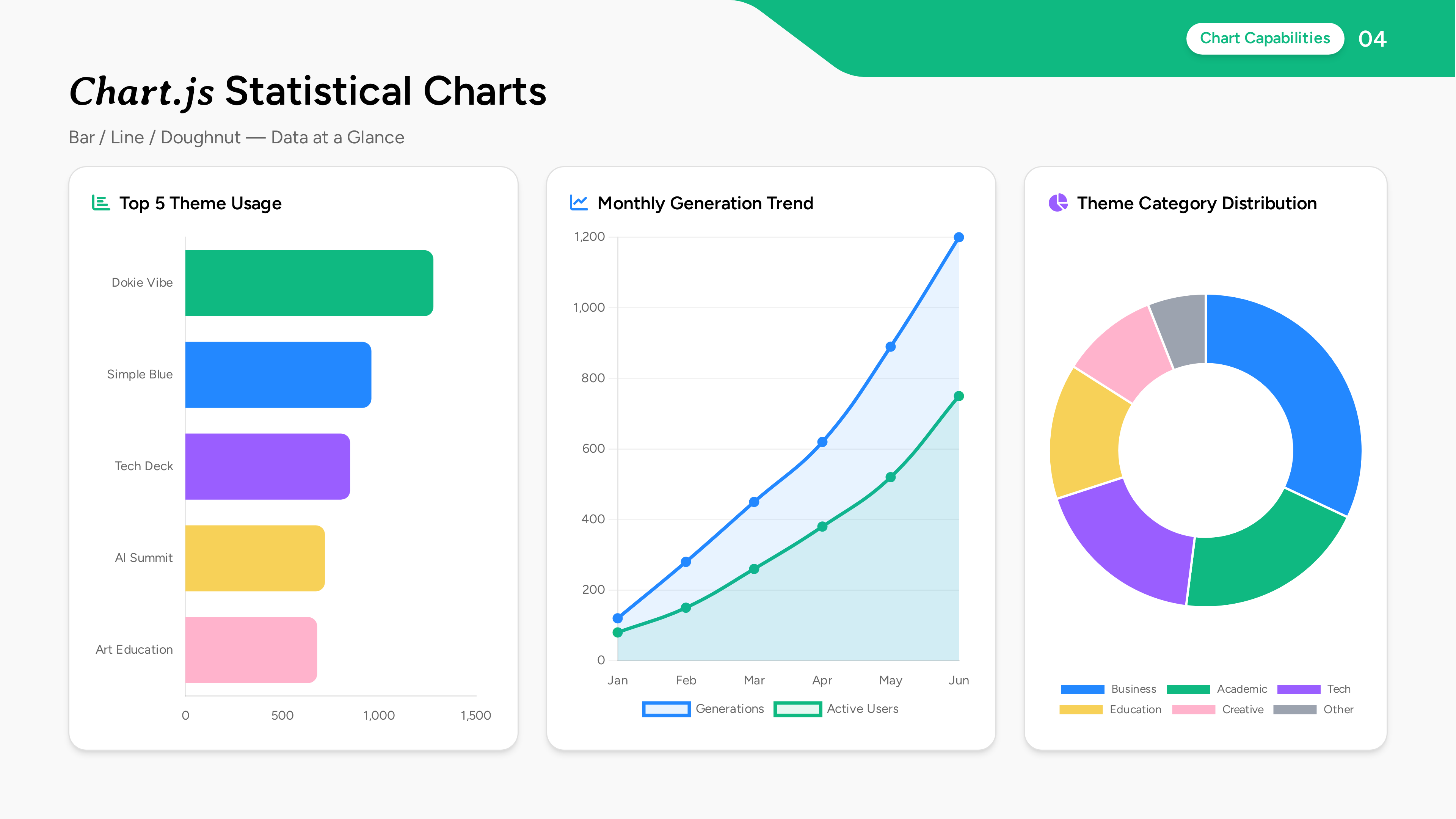
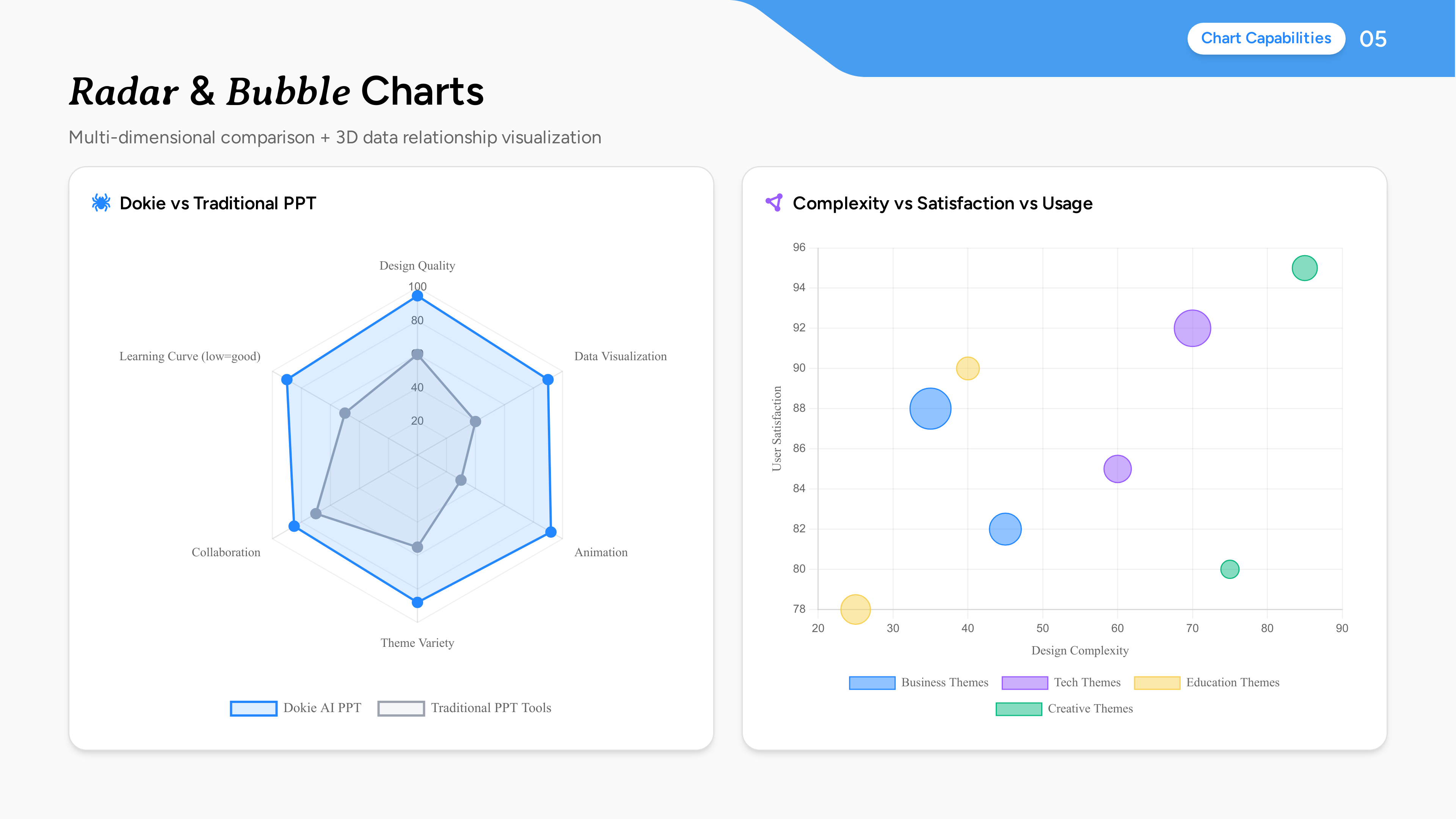
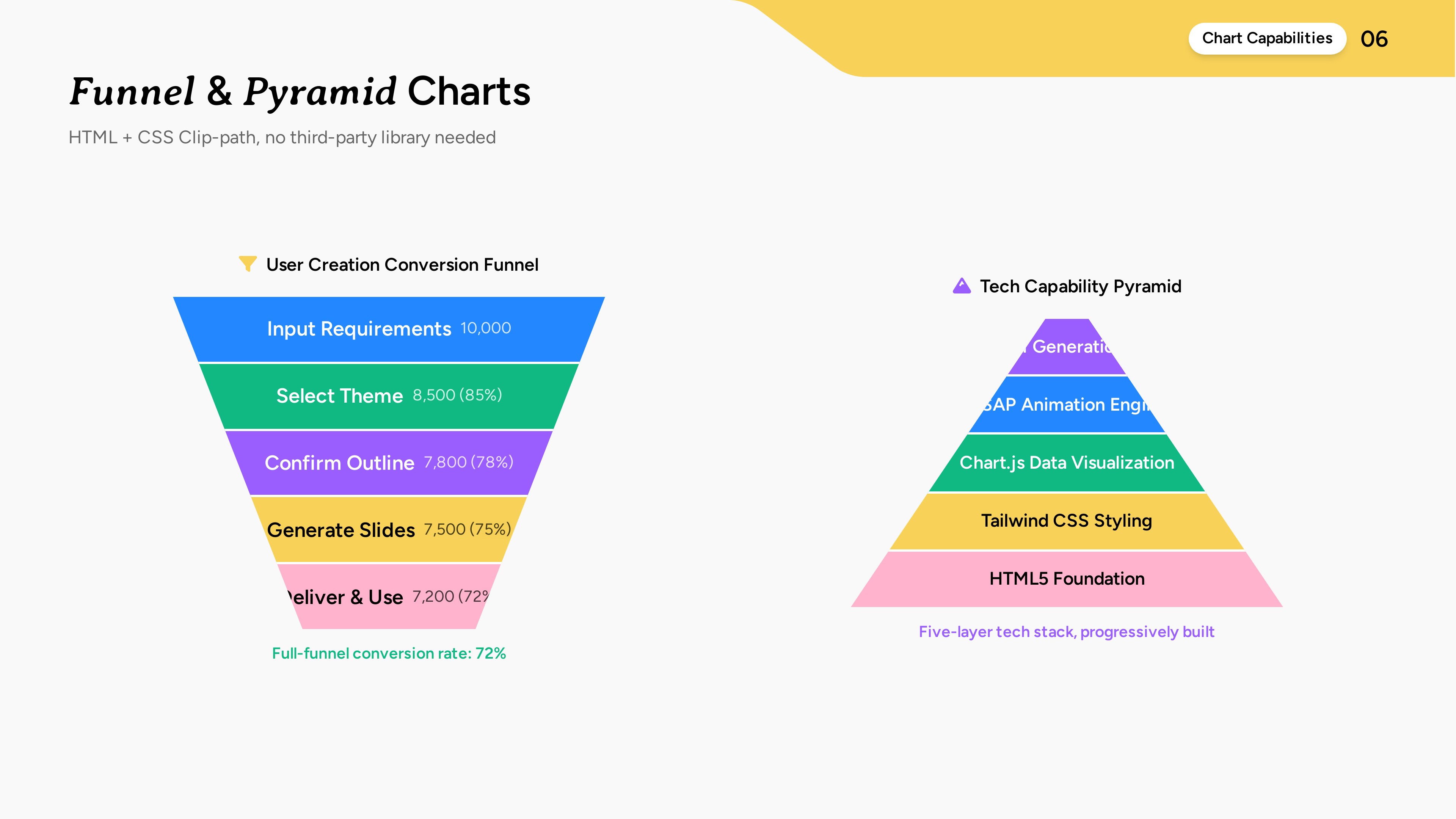
Bar · Line · Doughnut | Radar · Bubble | Funnel · Pyramid
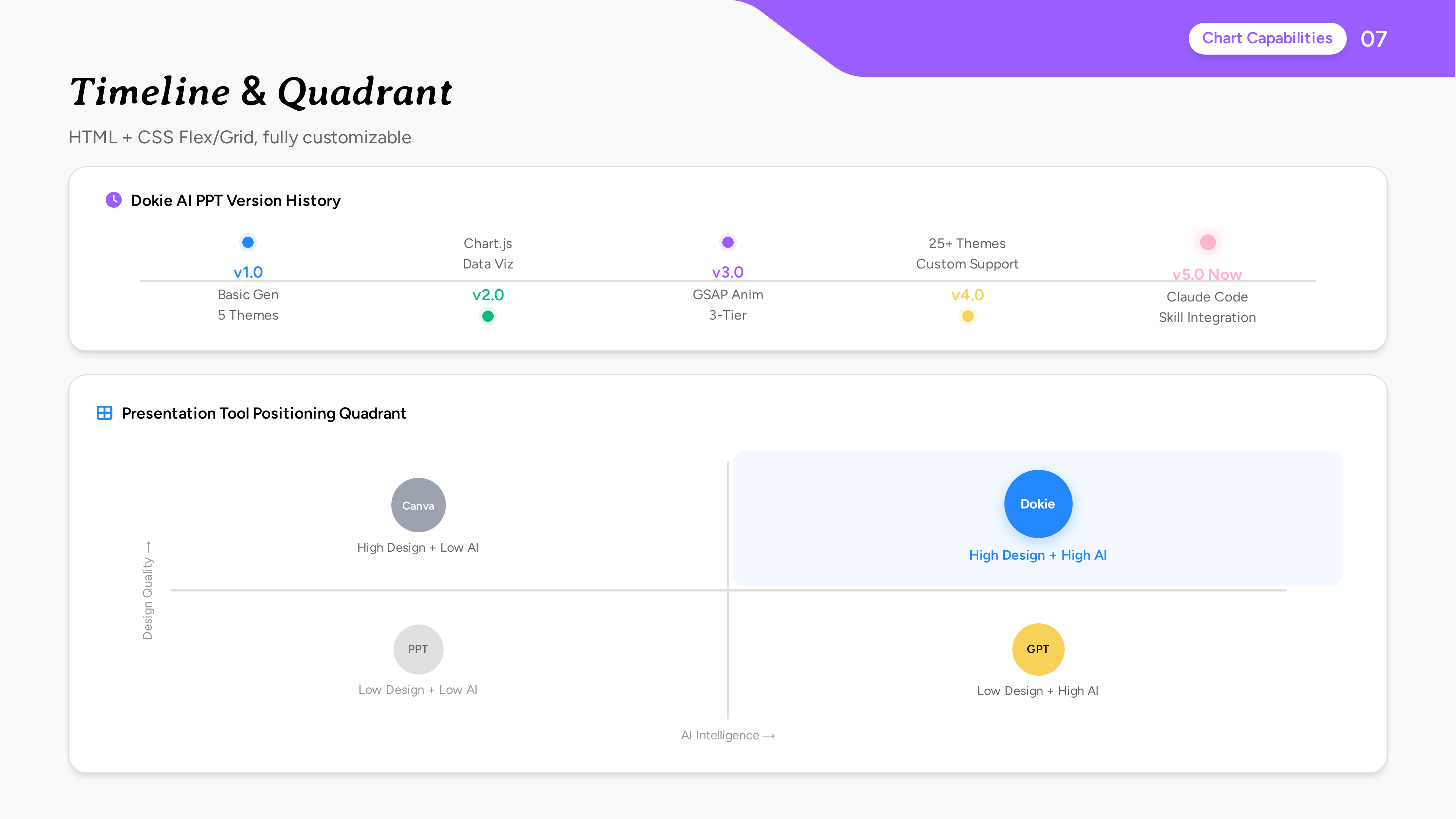
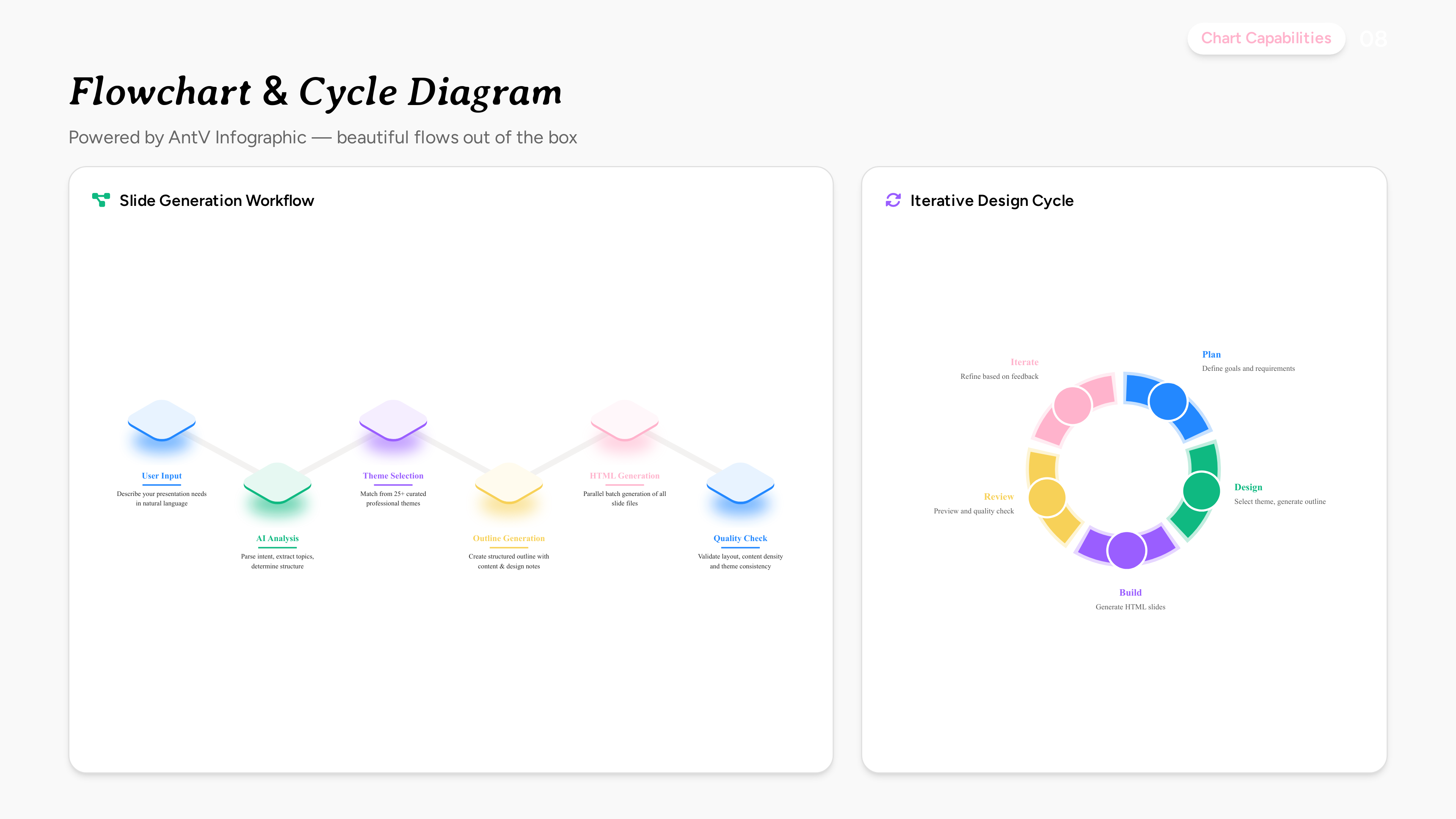
Timeline · Quadrant | Flowchart · Cycle Diagram
Animations & Interactions
This isn't your typical "fade-in" presentation tool. Every slide is a real web page, which means you get the full power of web animations and interactions:
- Entrance animations — Elements fly in, fade up, scale, rotate, blur — each with precise timing and easing curves
- Page transitions — Smooth slide-to-slide transitions with cinematic flow
- Interactive elements — Clickable tabs, hover effects, expandable sections — your audience can explore, not just watch
- Scroll-triggered effects — Content reveals as you scroll, creating a storytelling rhythm
- Parallax & layered motion — Depth and dimension that flat slides can't achieve
- 3D models & advanced visuals — Embed 3D objects, particle effects, and more — the browser is your canvas
Choose from 3 intensity levels:
- Minimal — Subtle fade and slide. Clean and professional, perfect for corporate settings where content speaks for itself.
- Balanced — Moderate motion with staggered timing. Adds visual rhythm without distraction. Great for product demos and team meetings.
- Creative — Full cinematic experience. Scroll-triggered reveals, parallax layers, dynamic transitions. Built for keynotes and pitches that need to impress. Awwwards-level motion design.
Creative animation style — cinematic entrance effects with layered transitions. Click to view live demo →
Auto Quality Check
After generation, the skill automatically reviews every slide for:
- Content overflow — text or elements bleeding outside the slide boundaries
- Chart rendering — ensuring all data visualizations display correctly
- Theme consistency — verifying fonts, colors, and spacing match the selected theme
Issues are fixed before you even notice them. You get polished results from the first preview.
See It in Action
Generated slides are previewed instantly. The preview server gives you two links — a local one for yourself and a public one you can share with anyone:
✓ Server running:

    ➜  Local:   http://localhost:3456
    ➜  Public:  https://your-presentation.trycloudflare.com
Send the public link to anyone for a quick preview — no install needed. For a permanent shareable link, open your presentation in dokie.ai to get a stable URL that won't expire.

Built-in preview — browse all slides, check layouts, share with your team via public link
Go Further with Dokie
Want more control? Every presentation you generate can be opened in dokie.ai for free. Inside the Dokie editor, you can:
- Fine-tune layouts, text, and visual details with a drag-and-drop editor
- Adjust styles, colors, and fonts at a granular level
- Export to PDF, PPTX, images, and more
From AI generation to pixel-perfect polish — all in one workflow.
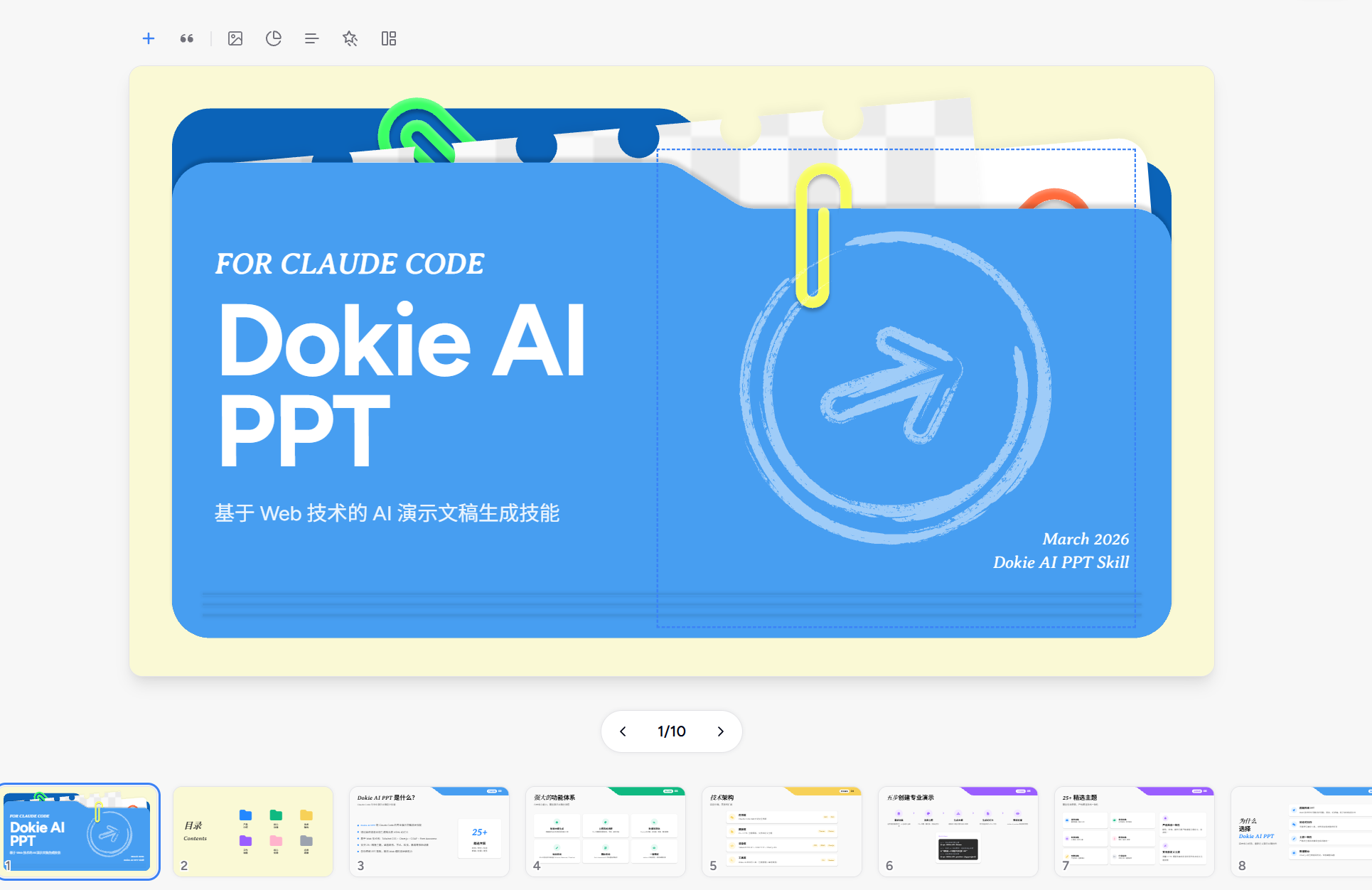
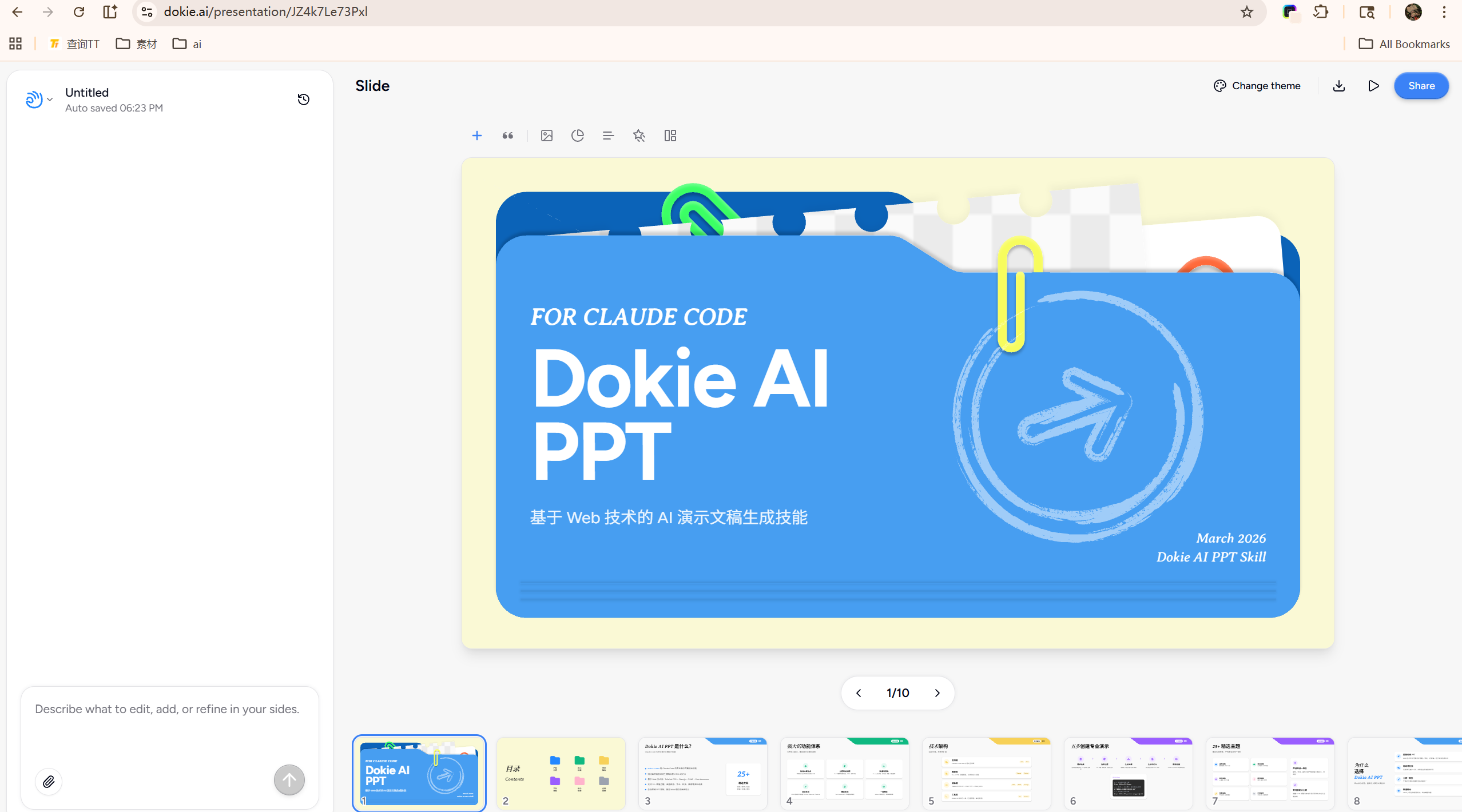
Left: Fine-tune every detail in the Dokie editor · Right: Export to PDF, PPTX and more
dokie.ai · MIT License