
tidy-deprecate-function
Tools to make an R developer's life easier
npx skills add https://github.com/r-lib/devtools --skill tidy-deprecate-functionInstala esta habilidad con la CLI y comienza a usar el flujo de trabajo SKILL.md en tu espacio de trabajo.
devtools 


The aim of devtools is to make package development easier by providing R
functions that simplify and expedite common tasks. R
Packages is a book based around this workflow.
Installation
# Install devtools from CRAN
install.packages("devtools")

# Or the development version from GitHub:
# install.packages("pak")
pak::pak("r-lib/devtools")
Cheatsheet

Usage
All devtools functions accept a path as an argument, e.g.
load_all("path/to/mypkg"). If you don't specify a path, devtools will
look in the current working directory - this is a recommended practice.
Frequent development tasks:
-
load_all()simulates installing and reloading your package, loading R code
inR/, compiled shared objects insrc/and data files indata/. During
development you would usually want to access all functions (even un-exported
internal ones) soload_all()works as if all functions were exported in the
packageNAMESPACE. -
document()updates generated documentation inman/, file collation and
NAMESPACE. -
test()reloads your code withload_all(), then runs alltestthattests. -
test_coverage()runs test coverage on your package with
covr. This makes it easy to see what parts of your
package could use more tests!
Building and installing:
-
install()reinstalls the package, detaches the currently loaded version
then reloads the new version withlibrary(). Reloading a package is not
guaranteed to work: see the documentation forunload()for caveats. -
build()builds a package file from package sources. You can use it to build
a binary version of your package. -
install_*functions install an R package:install_github()from GitHubinstall_gitlab()from GitLabinstall_bitbucket()from Bitbucketinstall_url()from an arbitrary urlinstall_git()andinstall_svn()from an arbitrary git or SVN repositoryinstall_local()from a local file on diskinstall_version()from a specific version on CRAN
-
update_packages()updates a package to the latest version. This works
both on packages installed from CRAN as well as those installed from any of
theinstall_*functions.
Check and release:
check()updates the documentation, then builds and checks the package locally.check_win_release(),check_win_devel(), andcheck_mac_release()check
a package using win-builder or
https://mac.r-project.org/macbuilder/submit.html.release()andsubmit_cran()handle the mechanics of CRAN submission with
or without, respectively, (re)-running lots of local checks.
Learning more
R package development can be intimidating, however there are now a number of
valuable resources to help!
-
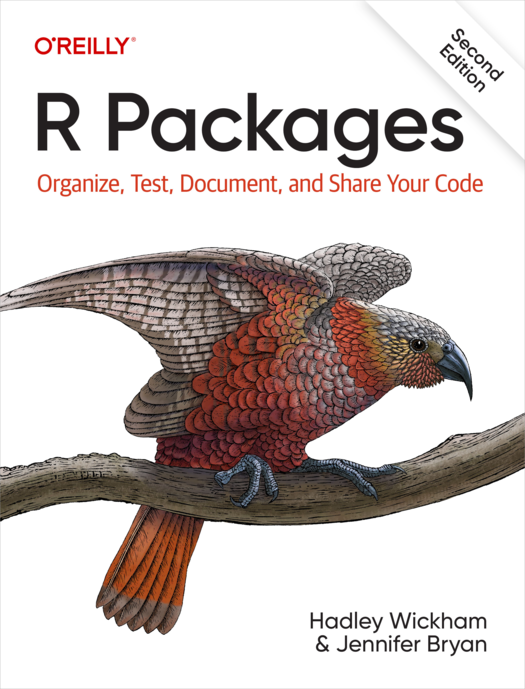
R Packages is a book that gives a comprehensive treatment of all common parts
of package development and uses devtools throughout.- The first edition is no longer available online, but it is still in print. Note that it has grown somewhat out of sync with the current version of devtools.
- A second edition that reflects the current state of devtools, plus new topics such as package websites and GitHub Actions, is available at https://r-pkgs.org and in paperback format.
- The Whole Game and
Package structure chapters
make great places to start.
-
Posit Community - package
development
is a great place to ask specific questions related to package development. -
rOpenSci packages has
extensive documentation on best practices for R packages looking to be
contributed to rOpenSci, but also very useful general recommendations
for package authors. -
There are a number of fantastic blog posts on writing your first package, including
-
Writing R
Extensions is
the exhaustive, canonical reference for writing R packages, maintained by
the R core developers.
Conscious uncoupling
devtools started off as a lean-and-mean package to facilitate local package
development, but over the years it accumulated more and more functionality.
devtools has undergone a conscious
uncoupling
to split out functionality into smaller, more tightly focussed packages. This
includes:
-
testthat: Writing and running tests
(i.e.test()). -
roxygen2: Function and package documentation
(i.e.document()). -
pak: Installing packages (i.e.
pak::pak()). -
pkgbuild: Building binary packages
(including checking if build tools are available) (i.e.build()). -
pkgload: Simulating package loading (i.e.
load_all()). -
rcmdcheck: Running R CMD check and
reporting the results (i.e.check()). -
revdepcheck: Running R CMD check on
all reverse dependencies, and figuring out what's changed since the last CRAN
release (i.e.revdep_check()). -
sessioninfo: R session info (i.e.
session_info()). -
usethis: Automating package setup (i.e.
use_test()).
Generally, you would not need to worry about these different packages, because
devtools installs all of them automatically. You will need to care, however, if
you're filing a bug because reporting it at the correct place will lead to a
speedier resolution.
You may also need to care if you are trying to use some devtools functionality
in your own package or deployed application. Generally in these cases it
is better to depend on the particular package directly rather than depend on devtools,
e.g. use sessioninfo::session_info() rather than devtools::session_info(),
or pak::pak("user/repo") vs devtools::install_github("user/repo").
However for day to day development we recommend you continue to use
library(devtools) to quickly load all needed development tools, just like
library(tidyverse) quickly loads all the tools necessary for data exploration
and visualization.
Code of conduct
Please note that the devtools project is released with a Contributor Code of Conduct. By contributing to this project, you agree to abide by its terms.