
react-testing
My dotfiles
npx skills add https://github.com/citypaul/.dotfiles --skill react-testingInstall this skill with the CLI and start using the SKILL.md workflow in your workspace.
Development Guidelines for AI-Assisted Programming
Comprehensive CLAUDE.md guidelines + specialized agents for Test-Driven Development, TypeScript strict mode, and functional programming. Works with both Claude Code and OpenCode.
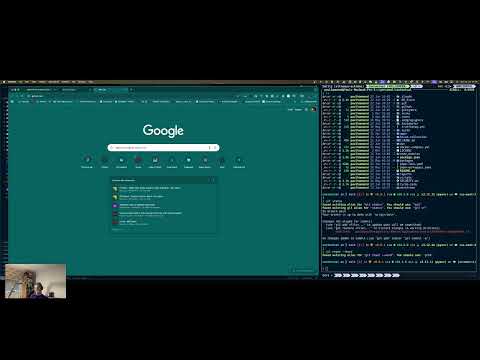
👆 Watch a real coding session showing how CLAUDE.md guides AI pair programming in Claude Code.
Table of Contents
- What This Is
- CLAUDE.md: The Development Framework
- Claude Code Agents: Automated Enforcement
- Slash Commands
- How to Use This in Your Projects
- Working with Legacy Code
- Documentation
- Who This Is For
- Philosophy
- Continuous Improvement
- Personal Dotfiles
- Contributing
- Contact
What This Is
This is my personal dotfiles repository. I use it to manage my shell configurations, git aliases, and development environment setup.
It became unexpectedly popular when I shared the CLAUDE.md file - development guidelines I wrote for AI-assisted programming. That's likely why you're here.
This repository now serves two purposes:
- CLAUDE.md + Skills + Ten specialized agents + Five slash commands - Development guidelines, 24 auto-discovered skill patterns + 18 impeccable design skills from pbakaus/impeccable + 6 web quality skills from addyosmani/web-quality-skills + the
grill-meplanning interview skill from mattpocock/skills, and automated quality guidance (what most visitors want) - Personal dotfiles - My shell configs, git aliases, and tool configurations (what this repo was originally for)
Most people are here for CLAUDE.md and the agents. This README focuses primarily on those, with dotfiles coverage at the end.
Using another coding agent? Skills install via skills.sh, which supports 40+ coding agents (Claude Code, Cursor, Codex, Copilot, OpenCode, Gemini CLI, Cline, Continue, Windsurf, …). Pass
--agent <name>(repeatable) to target others, or--with-opencodefor the OpenCode config shortcut. Slash commands and Claude-Code agents are Claude-Code-specific;--with-opencodealso copies them into OpenCode's equivalents. See Targeting other agents for details.
📘 CLAUDE.md: The Development Framework
→ Read the full CLAUDE.md file
CLAUDE.md is a living document that defines development principles, patterns, and anti-patterns. It transforms abstract concepts into actionable decision frameworks.
Core Philosophy
- TDD is non-negotiable - Every line of production code must be test-driven
- Behavior over implementation - Tests verify what code does, not how it does it
- Immutability by default - Pure functions and immutable data structures
- Schema-first with nuance - Runtime validation at trust boundaries, types for internal logic
- Semantic refactoring - Abstract based on meaning, not structure
- Explicit documentation - Capture learnings while context is fresh
What Makes It Different
Unlike typical style guides, CLAUDE.md provides:
- Decision frameworks - Concrete questions to answer before taking action
- Priority classifications - Objective severity levels (Critical/High/Nice/Skip)
- Quality gates - Verifiable checklists before commits
- Anti-pattern catalogs - Side-by-side good/bad examples
- Git verification methods - How to audit compliance retrospectively
Key Sections
| Section | What It Provides | Detailed Patterns |
|---|---|---|
| Testing Principles | Behavior-driven testing, 100% coverage strategy, factory patterns | → skills/testing |
| Mutation Testing | Test effectiveness verification, mutation operators, weak test detection | → skills/mutation-testing |
| Test Design Review | Dave Farley's 8 properties evaluation, Farley Score calculation, test quality assessment | → skills/test-design-reviewer |
| Front-End Testing | Vitest Browser Mode (preferred) + DOM Testing Library patterns, real browser testing with Playwright | → skills/front-end-testing |
| React Testing | Vitest Browser Mode with vitest-browser-react (preferred) + React Testing Library patterns | → skills/react-testing |
| TypeScript Guidelines | Schema-first decision framework, type vs interface clarity, immutability patterns | → skills/typescript-strict |
| TDD Process | RED-GREEN-MUTATE-KILL MUTANTS-REFACTOR cycle, quality gates, anti-patterns | → skills/tdd |
| Refactoring | Priority classification, semantic vs structural framework, DRY decision tree | → skills/refactoring |
| Functional Programming | Immutability violations catalog, pure functions, composition patterns | → skills/functional |
| Expectations | Learning capture guidance, documentation templates, quality criteria | → skills/expectations |
| Planning | Small increments, plans directory, commit approval, prefer small PRs | → skills/planning |
| CI Debugging | Systematic CI/CD failure diagnosis, hypothesis-first debugging, environment delta analysis | → skills/ci-debugging |
| Hexagonal Architecture | Ports and adapters, driving/driven asymmetry, CQRS-lite, composition roots, cross-cutting concerns, DI patterns, anti-patterns with code examples, full worked example, incremental adoption. 5 deep-dive resources | → skills/hexagonal-architecture |
| Domain-Driven Design | Ubiquitous language, value objects, entities, aggregates, domain events (Decider pattern), domain services, specifications, bounded contexts with ACL, error modeling, "Where Does This Code Belong?" decision framework. 6 deep-dive resources | → skills/domain-driven-design |
| Twelve-Factor App | Config via env vars, stateless processes, graceful shutdown, structured logging, backing services | → skills/twelve-factor |
| Impeccable Design | Comprehensive frontend design vocabulary: distinctive interfaces, systematic typography, OKLCH color, anti-AI-slop methodology + 17 steering commands | → impeccable |
| API Design | Contract-first, Hyrum's Law, RFC 9457 errors, idempotency, rate limiting, REST conventions, pagination, backward compatibility, OWASP API Security Top 10. 2 deep-dive resources | → skills/api-design |
| CLI Design | Unix-composable CLI patterns: stdout/stderr stream separation, format flags (--json/--plain), exit codes, TTY detection, composability, error design. Language-agnostic principles with TypeScript implementation patterns. 3 deep-dive resources | → skills/cli-design |
| Finding Seams | Identifying substitution points in untestable code -- function parameter, configuration, module, and object seams for TypeScript/JS. FP-first with OOP patterns in a separate resource for legacy class-based code. Based on Michael Feathers' Working Effectively with Legacy Code. 3 deep-dive resources | → skills/finding-seams |
| Characterisation Tests | Documenting actual behavior of existing code before making changes. The 5-step algorithm, heuristics, modern tooling (Vitest snapshots, combination testing, approval testing). Based on Michael Feathers' Working Effectively with Legacy Code. 2 deep-dive resources | → skills/characterisation-tests |
| Storyboard | Multi-surface design audit on a single HTML page. Live iframes of every mock side-by-side, ASCII flow diagram with colour-coded gaps, per-mock /critique+/clarify+/audit+/polish checklist, brainstorm-question cards for missing mocks. Use before any multi-surface feature lands code. Pairs with impeccable design skills |
→ skills/storyboard |
| Teach Me | Evidence-based private tutor for any topic. Discovery interview, structured learning plans, Socratic questioning, Bloom's Taxonomy progression, spaced repetition, confidence calibration, course generation. 4 deep-dive resources. Invoked via /teach-me [topic] |
→ skills/teach-me |
| Diagrams | Create diagrams in Markdown using Mermaid, Graphviz, Vega-Lite, PlantUML, JSON Canvas, infographics, info cards, architecture diagrams. Decision guide picks the right tool; 8 per-tool references. Vendored from markdown-viewer/skills under MIT | → skills/diagrams |
| Find Skills | Discovers and installs skills from the open agent skills ecosystem (npx skills, skills.sh). Activates on "how do I do X" / "find a skill for X". Verifies install count, source reputation, and GitHub stars before recommending. Vendored from vercel-labs/skills under MIT |
→ skills/find-skills |
| Find Gaps | Conversational pre-implementation review for plans, acceptance criteria, and design mocks. Surveys the artifact with a per-type checklist, then walks you through gaps one question at a time, turning each answer into a new AC (Given/When/Then), plan paragraph, or mock-state spec written back to the source of truth. Output is the tightened artifact, not a gap report. Pairs with storyboard for multi-mock audits |
→ skills/find-gaps |
| Grill Me | Relentless one-question-at-a-time plan and design interviews. Stress-tests decisions branch-by-branch, explores the codebase when it can answer questions directly, and recommends an answer for each unresolved question | → skills.sh/mattpocock/skills/grill-me |
| Web Quality Audit | Comprehensive Lighthouse-based quality review across all categories | → web-quality-skills |
| Performance | Loading speed, runtime efficiency, resource optimization | → web-quality-skills |
| Core Web Vitals | LCP, INP, CLS specific optimizations | → web-quality-skills |
| Accessibility | WCAG compliance, screen reader support, keyboard navigation | → web-quality-skills |
| SEO | Search engine optimization, crawlability, structured data | → web-quality-skills |
| Best Practices | Security, modern APIs, code quality patterns | → web-quality-skills |
📖 Skills Guide
v3.0 Architecture: Skills are auto-discovered patterns loaded on-demand when relevant. This reduces always-loaded context from ~3,000+ lines to ~100 lines.
Quick Navigation by Problem
"I'm struggling with..." → Go here:
| Problem | Skill | Key Insight |
|---|---|---|
| Tests that break when I refactor | testing | Test behavior through public APIs, not implementation |
| 100% coverage but bugs still slip through | mutation-testing | Coverage measures execution, mutation testing measures detection |
| Tests break when refactoring UI components | front-end-testing | Use Vitest Browser Mode for real browser testing, query by role |
| Testing React components, hooks, or context | react-testing | Use vitest-browser-react for Browser Mode, renderHook for hooks |
| Don't know when to use schemas vs types | typescript-strict | 5-question decision framework |
| Code that "looks the same" - should I abstract it? | refactoring | Semantic vs structural abstraction guide |
| Refactoring everything vs nothing | refactoring | Priority classification (Critical/High/Nice/Skip) |
| Understanding what "DRY" really means | refactoring | DRY = knowledge, not code structure |
| Accidental mutations breaking things | functional | Complete immutability violations catalog |
| Writing code before tests | tdd | TDD quality gates + git verification |
| Losing context on complex features | expectations | Learning capture framework (7 criteria) |
| Planning significant work | planning | Three-document model (PLAN/WIP/LEARNINGS), commit approval |
| CI pipeline keeps failing | ci-debugging | Every failure is real until proven otherwise, hypothesis-first diagnosis |
| Separating domain from infrastructure | hexagonal-architecture | Ports define contracts, adapters implement them, domain stays pure |
| Complex business rules need modeling | domain-driven-design | Ubiquitous language, glossary enforcement, value objects, aggregates |
| Config scattered in code, not env vars | twelve-factor | Validate config at startup with Zod, inject via options objects |
| Service won't scale horizontally | twelve-factor | Stateless processes, external backing services, graceful shutdown |
| UI looks generic or AI-generated | impeccable | /impeccable teach to set context, /impeccable craft to build with design methodology |
| Need to plan UX before coding | impeccable | /shape produces a design brief; /impeccable craft runs the full shape-build-iterate flow |
| Design needs professional polish | impeccable | /critique for UX review, /polish for final pass, /harden for production readiness |
| Typography or color needs work | impeccable | /typeset for font selection and hierarchy, /colorize for strategic OKLCH color |
| Designing REST APIs or module contracts | api-design | Contract-first, Hyrum's Law, consistent error semantics, pagination |
| Breaking changes keep surprising consumers | api-design | Additive-only changes, One-Version Rule, input/output separation |
| CLI output breaks when piped to jq | cli-design | stdout for data only, stderr for everything else |
| JSON mode includes spinners or progress | cli-design | Format flag contract, TTY detection, stream separation |
| Building a CLI that composes with Unix tools | cli-design | --json/--plain flags, exit codes, NDJSON streaming, stdin support |
| Code has dependencies I can't test around | finding-seams | Find substitution points (seams) without editing at the call site |
| Need to understand what code does before changing it | characterisation-tests | Let failing tests tell you what code actually does, not what it should do |
| Modifying code that has no tests | characterisation-tests | Pin down current behavior as a safety net, then refactor |
| Multiple UX mocks to review before code lands | storyboard | One HTML page with live iframes + flow diagram + gap cards; forces brainstorm questions per gap |
| Want "all the mocks in one place" for a feature | storyboard | Side-by-side embedded mocks + per-mock audit checklist, pairs with /impeccable pipeline |
| Want to learn a topic properly, not just read about it | teach-me | Socratic tutor, Bloom's progression, spaced repetition — invoked via /teach-me [topic] |
| Need a diagram, chart, or visualization in Markdown | diagrams | Decision guide picks Mermaid / Graphviz / Vega-Lite / PlantUML / Canvas / infographic for the job |
| Wishing an agent skill existed for this task | find-skills | Search the open skills ecosystem via npx skills find; verify installs and source before recommending |
| Reviewing a plan, spec, or mocks before coding starts | find-gaps | Conversational loop: asks one question at a time and writes each answer back as a new AC / plan paragraph / mock-state spec |
| "What could go wrong?" / "What's missing?" on a design | find-gaps | Forces every gap category end-to-end; each confirmed answer updates the artifact, not a todo list |
| Want a plan interrogated before implementation | grill-me | Relentless one-question-at-a-time review that explores the codebase when possible and recommends an answer for each decision |
| Slow page loads or poor Lighthouse scores | performance | Critical rendering path, code splitting, image optimization |
| Failing Core Web Vitals (LCP, INP, CLS) | core-web-vitals | LCP < 2.5s, INP < 200ms, CLS < 0.1 |
| Accessibility compliance gaps | accessibility | WCAG 2.1 guidelines, perceivable/operable/understandable/robust |
| Poor search engine visibility | seo | Technical SEO, structured data, meta tags, crawlability |
| Full site quality audit | web-quality-audit | Comprehensive Lighthouse audit across all categories |
How Skills Work
Skills are auto-discovered by Claude when relevant:
- Writing TypeScript? →
typescript-strictskill loads automatically - Running tests? →
testingskill provides factory patterns - After MUTATE + KILL MUTANTS? →
refactoringskill assesses opportunities - Reviewing test effectiveness? →
mutation-testingskill identifies weak tests - Designing API endpoints? →
api-designskill provides contract-first patterns - Code with hard-to-test dependencies? →
finding-seamsskill identifies substitution points - Changing code with no tests? →
characterisation-testsskill documents existing behavior - Building a UI? →
impeccableskill loads design methodology and anti-slop patterns - Stress-testing a plan or design? →
grill-measks one question at a time and recommends answers
No manual invocation needed - Claude detects when skills apply. Impeccable steering commands (/shape, /critique, /polish, etc.) can also be invoked directly, and you can explicitly ask to be "grilled" on a plan when you want a deeper interview.
🧪 Testing Principles → skills/testing
Problem it solves: Tests that break on every refactor, unclear what to test, low coverage despite many tests
What's inside:
- Behavior-driven testing principles with anti-patterns
- Factory function patterns for test data (no
let/beforeEach) - Achieving 100% coverage through business behavior (not implementation)
- React component testing strategies
- Validating test data with schemas
Concrete example from the docs:
// ❌ BAD - Implementation-focused test (breaks on refactor)
it("should call validateAmount", () => {
  const spy = jest.spyOn(validator, 'validateAmount');
  processPayment(payment);
  expect(spy).toHaveBeenCalled(); // Will break if we rename or restructure
});

// ✅ GOOD - Behavior-focused test (refactor-safe)
it("should reject payments with negative amounts", () => {
  const payment = getMockPayment({ amount: -100 });
  const result = processPayment(payment);
  expect(result.success).toBe(false);
  expect(result.error.message).toBe("Invalid amount");
});
Why this matters: The first test will fail if you refactor validateAmount into a different structure. The second test only cares about behavior - refactor all you want, as long as negative amounts are rejected.
Key insight: A separate payment-validator.ts file gets 100% coverage without dedicated tests - it's fully tested through payment-processor behavior tests. No 1:1 file mapping needed.
🧬 Mutation Testing → skills/mutation-testing
Problem it solves: 100% code coverage but bugs still slip through; tests that don't actually verify behavior; weak assertions that pass regardless of code correctness
What's inside:
- Comprehensive mutation operator reference (arithmetic, conditional, logical, boolean, method expressions)
- Weak vs strong test examples for each operator type
- Systematic 4-step branch analysis process
- Equivalent mutant identification and handling
- Test strengthening patterns
- Integration with TDD workflow
The core insight:
Code coverage tells you what code your tests execute. Mutation testing tells you if your tests would detect changes to that code. A test suite with 100% coverage can still miss 40% of potential bugs.
Concrete example from the docs:
// Production code
const calculateTotal = (price: number, quantity: number): number => {
  return price * quantity;
};

// Mutant: price / quantity
// Question: Would tests fail if * became /?

// ❌ WEAK TEST - Would NOT catch mutant
it('calculates total', () => {
  expect(calculateTotal(10, 1)).toBe(10); // 10 * 1 = 10, 10 / 1 = 10 (SAME!)
});

// ✅ STRONG TEST - Would catch mutant
it('calculates total', () => {
  expect(calculateTotal(10, 3)).toBe(30); // 10 * 3 = 30, 10 / 3 = 3.33 (DIFFERENT!)
});
Why this matters: The first test uses an identity value (1) that produces the same result for both multiplication and division. The second test uses values that would produce different results, catching the bug.
Key insight: Avoid identity values (0 for +/-, 1 for */, empty arrays, all true/false for logical ops) in tests - they let mutants survive.
🔷 TypeScript Guidelines → skills/typescript-strict
Problem it solves: Overusing schemas everywhere, or not using them when needed; confusion about type vs interface
What's inside:
- Strict mode requirements and tsconfig setup
- Type vs interface distinction (data vs behavior contracts)
- 5-question decision framework: When schemas ARE vs AREN'T required
- Schema-first development with Zod
- Schema usage in tests (import from shared locations, never redefine)
- Branded types for type safety
The 5-question framework from the docs:
Ask these in order:
- Does data cross a trust boundary? (external → internal) → ✅ Schema required
- Does type have validation rules? (format, constraints) → ✅ Schema required
- Is this a shared data contract? (between systems) → ✅ Schema required
- Used in test factories? → ✅ Schema required (for validation)
- Pure internal type? (utility, state, behavior) → ❌ Type is fine
Concrete example from the docs:
// ❌ Schema NOT needed - pure internal type
type Point = { readonly x: number; readonly y: number };
type CartTotal = { subtotal: number; tax: number; total: number };

// ✅ Schema REQUIRED - API response (trust boundary + validation)
const UserSchema = z.object({
  id: z.string().uuid(),
  email: z.string().email(),
  role: z.enum(["admin", "user", "guest"]),
});
const user = UserSchema.parse(apiResponse);
Key insight: Not all types need schemas. Use schemas at trust boundaries and for validation. For internal types and utilities, plain TypeScript types are sufficient.
Critical rule: Tests must import real schemas from shared locations, never redefine them. This prevents type drift between tests and production.
🔄 Development Workflow (TDD + Refactoring) → skills/tdd + skills/refactoring
Problem it solves: Writing code before tests, refactoring too much/too little, not knowing when to abstract
What's inside:
- TDD process with quality gates (what to verify before each commit)
- RED-GREEN-MUTATE-KILL MUTANTS-REFACTOR cycle with complete examples
- Refactoring priority classification (Critical/High/Nice/Skip)
- Semantic vs structural abstraction (the most important refactoring rule)
- Understanding DRY - knowledge vs code duplication
- 4-question decision framework for abstraction
- Git verification methods (audit TDD compliance retrospectively)
- Commit guidelines and PR standards
The refactoring priority system from the docs:
🔴 Critical (Fix Now): Immutability violations, semantic knowledge duplication, deep nesting (>3 levels)
⚠️ High Value (Fix This Session): Unclear names, magic numbers, long functions (>30 lines)
💡 Nice to Have: Minor improvements
✅ Skip: Code that's already clean, structural similarity without semantic relationship
The semantic vs structural rule (THE BIG ONE):
// ❌ DO NOT ABSTRACT - Structural similarity, DIFFERENT semantics
const validatePaymentAmount = (amount: number): boolean => {
  return amount > 0 && amount <= 10000; // Fraud rules
};

const validateTransferAmount = (amount: number): boolean => {
  return amount > 0 && amount <= 10000; // Account type rules
};
// They'll evolve independently - abstracting couples unrelated business rules

// ✅ SAFE TO ABSTRACT - Same semantic meaning
const formatUserDisplayName = (first: string, last: string) => `${first} ${last}`.trim();
const formatCustomerDisplayName = (first: string, last: string) => `${first} ${last}`.trim();
const formatEmployeeDisplayName = (first: string, last: string) => `${first} ${last}`.trim();
// All represent "how we display person names" - same business concept

const formatPersonDisplayName = (first: string, last: string) => `${first} ${last}`.trim();
Key insight: "Duplicate code is far cheaper than the wrong abstraction." Only abstract code that shares the same semantic meaning, not just similar structure.
DRY revelation: DRY means "Don't Repeat Knowledge" not "Don't Repeat Code Structure". The shipping threshold example in the docs shows this perfectly.
🎨 Code Style (Functional Programming) → skills/functional
Problem it solves: Accidental mutations, nested conditionals, unclear code, when to use FP abstractions
What's inside:
- Complete immutability violations catalog (arrays, objects, nested structures)
- Functional programming patterns and when to use heavy FP abstractions
- Code structure principles (max 2 levels nesting)
- Self-documenting code patterns (no comments)
- Naming conventions (functions, types, constants, files)
- Options objects pattern (vs positional parameters)
The immutability catalog from the docs:
// ❌ WRONG - Array mutations
items.push(newItem);        // → [...items, newItem]
items.pop();                // → items.slice(0, -1)
items[0] = updatedItem;     // → items.map((item, i) => i === 0 ? updatedItem : item)
items.sort();               // → [...items].sort()

// ❌ WRONG - Object mutations
user.name = "New Name";     // → { ...user, name: "New Name" }
delete user.email;          // → const { email, ...rest } = user; rest

// ❌ WRONG - Nested mutations
cart.items[0].quantity = 5; // → { ...cart, items: cart.items.map((item, i) => i === 0 ? { ...item, quantity: 5 } : item) }
Options objects pattern:
// Avoid: Unclear at call site
const payment = createPayment(100, "GBP", "card_123", "cust_456", undefined, { orderId: "789" });

// Good: Self-documenting
const payment = createPayment({
  amount: 100,
  currency: "GBP",
  cardId: "card_123",
  customerId: "cust_456",
  metadata: { orderId: "789" },
});
Key insight: Immutability eliminates entire classes of bugs. The catalog provides the immutable alternative for every common mutation pattern.
🤝 Working with Claude → skills/expectations
Problem it solves: Losing context after complex features, forgetting gotchas, unclear expectations
What's inside:
- Complete expectations checklist for Claude
- Learning documentation framework (7 criteria for what to document)
- Types of learnings to capture (gotchas, patterns, anti-patterns, decisions, edge cases)
- Documentation format templates
- "What do I wish I'd known at the start?" prompts
The 7 criteria for documenting learnings:
Document if ANY of these are true:
- ✅ Would save future developers >30 minutes
- ✅ Prevents a class of bugs or errors
- ✅ Reveals non-obvious behavior or constraints
- ✅ Captures architectural rationale or trade-offs
- ✅ Documents domain-specific knowledge
- ✅ Identifies effective patterns or anti-patterns
- ✅ Clarifies tool setup or configuration gotchas
Documentation template from the docs:
#### Gotcha: [Descriptive Title]

**Context**: When this occurs
**Issue**: What goes wrong
**Solution**: How to handle it

```typescript
// ✅ CORRECT
const example = "correct approach";

// ❌ WRONG
const wrong = "incorrect approach";
**Key insight:** Capture learnings while context is fresh, not during retrospectives when details are lost. Ask "What do I wish I'd known at the start?" after every significant change.

---

### 🏗️ Hexagonal Architecture → [skills/hexagonal-architecture](claude/.claude/skills/hexagonal-architecture/SKILL.md)

**Problem it solves:** Business logic tangled with database queries and HTTP handlers; untestable code; changing a database requires rewriting business rules

**What's inside (main skill + 5 deep-dive resources):**
- **Driving/driven adapter asymmetry** with visual diagram — HTTP routes, queue consumers, cron jobs
- **Dependency injection** via parameters — wrong/right comparison, composition root pattern
- **CQRS-lite** — reads bypass repositories, query functions JOIN freely
- **Cross-cutting concerns** — where auth, logging, transactions, and error formatting live
- **Anti-patterns with code** — business logic in adapters, bypass adapters, technology-shaped ports
- **Full worked example** — one feature traced through every layer with tests and file map
- **Incremental adoption** — strangler fig approach for existing codebases
- **Authoritative sources** — Cockburn, Seemann, Pierrain, Graca, Netflix, Valentina Jemuović

**The core insight:**

```typescript
// ❌ Business logic tangled with infrastructure
export async function POST(request: Request) {
  const order = await db.select().from(orders).where(eq(orders.id, id)).get();
  if (order.total > 1000) await requireManagerApproval(order); // business rule in route handler!
  ...
}

// ✅ Domain stays pure; adapters are thin glue
const placeOrder = (order: Order): PlaceOrderResult => {
  if (order.total > 1000) return { success: false, reason: 'requires-approval' };
  ...
};
Key insight: If swapping your database requires changing business logic, the boundary is wrong. The worked example shows the full picture from glossary through domain through adapters to tests.
📐 Domain-Driven Design → skills/domain-driven-design
Problem it solves: Business rules scattered across route handlers and database queries; technical jargon instead of domain language; models that don't evolve as understanding deepens
What's inside (main skill + 6 deep-dive resources):
- "Where Does This Code Belong?" — decision framework for the most common DDD question
- Building blocks — value objects, entities, aggregates, domain events (Decider pattern), domain services, specifications, branded types with factory functions
- Make Illegal States Unrepresentable — boolean-to-union pattern + exhaustive switch
- Error modeling — result types for business outcomes, exceptions for bugs
- Bounded contexts — ACL, context mapping, comprehensive discovery methodology
- Event dispatch — in-process, outbox pattern, process managers
- Model evolution — domain models should evolve; the first model is never the final model
- Authoritative sources — Evans, Vernon, Wlaschin, Chassaing, Khorikov, Valentina Jemuović
The decision framework from the docs:
| Question | If yes → |
|---|---|
| Does it enforce a business rule? | domain/ |
| Does it orchestrate without owning logic? | Use case (takes ports as params) |
| Does it format data for display? | lib/ — purity is not sufficient |
| Does it talk to an external system? | Adapter (implements a port) |
| Is it framework glue? | Delivery layer (app/) |
Key insight: Domain models evolve as understanding deepens — this is expected and ideal, not a sign of failure. TDD makes this evolution safe: rename a concept, update the glossary, and the tests guide the migration.
🔌 API and Interface Design → skills/api-design
Problem it solves: Inconsistent API contracts, breaking changes that surprise consumers, endpoints returning different shapes, no pagination on list endpoints, duplicate operations from retried requests
What's inside (main skill + 2 deep-dive resources):
- Hyrum's Law — every observable behavior becomes a de facto contract; design implications for what you expose
- Contract-first development — define the interface before implementing (aligns with TDD: define what you want → test → implement)
- RFC 9457 error semantics — standard
application/problem+jsonformat with security considerations, extension members, validation error patterns - Idempotency — HTTP method safety table, idempotency keys for POST (Stripe's pattern), making DELETE idempotent
- Rate limiting — standard headers (
RateLimit-Limit/Remaining/Reset),Retry-After, 429 responses - REST conventions — resource naming, PATCH vs PUT, pagination, filtering, sub-resources
- Backward compatibility — additive-only changes, what breaks vs preserves contracts
- Input/output separation — distinguish caller-provided data from server-generated fields
- Common rationalizations table — "We'll document later", "We don't need pagination yet", "Retries are the client's problem"
- Red flags and verification checklist
resources/api-evolution.md— Versioning strategies (Stripe's date-pinning, URL, header), Postel's Law, Sunset/Deprecation headers, enum evolution, consumer-driven contract testing (Pact)resources/api-security.md— OWASP API Security Top 10 with TypeScript code examples, authentication patterns (API keys, OAuth2+PKCE, JWT tradeoffs), security checklist
Adapted from addyosmani/agent-skills, significantly expanded with RFC 9457, idempotency, rate limiting, OWASP API Security Top 10, versioning strategies, and deprecation patterns. Modified to align with existing skills: TypeScript patterns deferred to typescript-strict, data structures use type with readonly per functional skill conventions.
📕 Working with Legacy Code → skills/finding-seams + skills/characterisation-tests
These two skills are adapted from Michael Feathers' Working Effectively with Legacy Code (2004), one of the most influential books on software testing and design. Feathers provides a specific, deliberate definition of legacy code:
Legacy code is code without tests.
Code without tests is bad code. It doesn't matter how well written it is; it doesn't matter how pretty or object-oriented or well-encapsulated it is. With tests, we can change the behavior of our code quickly and verifiably. Without them, we really don't know if our code is getting better or worse.
-- Michael Feathers, Working Effectively with Legacy Code (2004)
This definition matters because it reframes the problem. Legacy code isn't about age, technology, or quality -- it's about the absence of a safety net. Code written yesterday without tests is legacy code. A twenty-year-old system with comprehensive tests is not.
The legacy code dilemma: You need tests to change code safely, but the code wasn't written for testability, so you can't easily write tests. Feathers' two key techniques break this catch-22:
- Finding seams -- identify places where you can alter behavior without editing at that place, giving you substitution points to isolate code for testing
- Characterisation tests -- write tests that document what the code actually does (not what it should do), creating a safety net for refactoring
These two skills bridge the gap between untested code and the TDD workflow that the rest of this framework assumes. Once you have seams and characterisation tests in place, the standard cycle takes over: refactor with confidence, then replace characterisation tests with proper behavior-driven tests over time.
How they fit the existing workflow:
Untested code
    ↓
finding-seams         → Break dependencies to make code testable
    ↓
characterisation-tests → Document actual behavior as a safety net
    ↓
tdd / testing          → Write proper behavior-driven tests for new changes
    ↓
mutation-testing       → Verify test effectiveness
    ↓
refactoring            → Improve structure with confidence
🔍 Finding Seams → skills/finding-seams
Problem it solves: Code has dependencies you can't test around -- direct construction of collaborators, static/global calls, tight coupling to databases or external services, singleton access patterns
What's inside (main skill + 3 deep-dive resources):
- Core concept -- Feathers' definition: "A seam is a place where you can alter behavior in your program without editing in that place." Every seam has an enabling point.
- 4 seam types for TypeScript/JS -- function parameter seams (primary), configuration seams, module seams (
vi.mock()-- last resort), object seams (legacy OOP only) - How to find seams -- 6 things to look for in existing code (function parameters, default values, imports, config, React props/context, hard-coded
new) - The progression -- FP-first ordering (parameter injection → higher-order functions → configuration injection → module mocking → subclass override)
- FP-first creation techniques -- parameterize function, higher-order factory, extract type, wrap calls, module indirection
- OOP patterns in separate resource -- for legacy class-based code: object seams, extract and override, parameterize constructor
- React/Next.js seams -- props as seams, context as seams, MSW as API boundary seam
- Connection to hexagonal architecture -- ports are designed-in seams
Concrete example from the docs:
// BEFORE -- direct dependency, no seam
const processOrder = (order: Order): OrderResult => {
  const tax = fetchTaxRate(order.region);  // calls external service
  return { ...order, total: order.subtotal * (1 + tax) };
};

// AFTER -- function parameter seam (enabling point: the argument list)
type TaxResolver = (region: string) => number;

const processOrder = (
  order: Order,
  resolveTax: TaxResolver = fetchTaxRate,  // default = production behavior
): OrderResult => {
  const tax = resolveTax(order.region);
  return { ...order, total: order.subtotal * (1 + tax) };
};

// Test -- pass a fake at the seam
const result = processOrder(order, () => 0.08);
expect(result.total).toBe(108);
Key insight: In functional TypeScript, functions-as-values provide natural built-in seams everywhere. Every function parameter that accepts a callable is both a seam and its own enabling point -- no mocking framework required.
📋 Characterisation Tests → skills/characterisation-tests
Problem it solves: Modifying code with no tests and no specifications; needing to understand what code does before changing it; facing the legacy code dilemma where you need tests to refactor safely
What's inside (main skill + 2 deep-dive resources):
- Core concept -- "A characterisation test characterizes the actual behavior of a piece of code. There's no 'it should do this' -- the tests document what the system really does."
- The 5-step algorithm -- use code in test harness, write assertion you know will fail, let failure tell you the behavior, change test to expect actual behavior, repeat
- Feathers' heuristics -- use coverage as guide, production behavior IS the specification, focus on the change area, mark suspicious behavior
- When to stop -- cover every branch your change touches + one layer out, then validate with mutation testing
- Bug handling -- if system is deployed, someone may depend on the "bug"; document it, mark as suspicious, escalate
- Mutation testing validation -- after characterising, run mutation testing on the change area to verify tests would catch real bugs
- Sensing via parameter injection -- prefer function parameters over monkey-patching for observing code behavior
- Modern tooling -- Vitest inline snapshots (
toMatchInlineSnapshot()), combination testing, approval testing, coverage-guided characterisation
Concrete example from the docs:
// Step 1: Write an assertion you know will fail
it('characterises formatPrice', () => {
  expect(formatPrice(1999)).toBe('PLACEHOLDER');
});
// Test output: expected 'PLACEHOLDER' but received '$19.99'

// Step 2: Change test to expect actual behavior
it('characterises formatPrice', () => {
  expect(formatPrice(1999)).toBe('$19.99');
});
Key insight: Characterisation tests have no moral authority -- they don't assert correctness, they detect change. They are temporary scaffolding: once you understand the code and have proper behavior-driven tests, the characterisation tests can be retired. Like "walking into a forest and drawing a line -- after you own that area, you can develop it."
🎨 Impeccable Design → impeccable.style
Problem it solves: UI that looks generic or "AI-generated", inconsistent design quality, lack of systematic design methodology
What's inside (1 core skill + 9 reference files + 17 steering commands):
A comprehensive frontend design vocabulary and quality system from Paul Bakaus, replacing the original frontend-design skill with a much deeper methodology. These skills are fetched directly from the upstream repository at install time. Licensed under the Apache 2.0 License. Full documentation at impeccable.style/skills.
Getting Started: Design Context
Every impeccable skill checks for project design context before doing work. Without it, output is generic. Run this once per project:
/impeccable teach
This interviews you about your target audience, use cases, and brand personality, then saves the context to .impeccable.md in your project root. All design skills read this file automatically.
If you skip this step, any design command will prompt you to run /impeccable teach first.
Building Features: The Craft Flow
For new features that need both UX planning and implementation:
/impeccable craft [feature description]
This runs a structured 5-step flow:
-
Shape (
/shape) - Produces a design brief through a discovery interview: purpose, content, design goals, constraints, anti-goals. No code is written. The brief becomes the blueprint for every implementation decision. -
Load references - Based on the brief's needs, relevant deep-dive guides are loaded:
typography.md- OpenType features, modular scales, font pairing, web font loadingcolor-and-contrast.md- OKLCH color model, tinted neutrals, dark mode, accessibilityspatial-design.md- 4pt spacing systems, grids, container queries, optical adjustmentsmotion-design.md- Easing curves (no bounce/elastic), staggering, reduced motioninteraction-design.md- 8 interactive states, focus rings, forms, modals, popoversresponsive-design.md- Mobile-first, input method detection, safe areasux-writing.md- Button labels, error formulas, empty states, translation planning
-
Build - Implements the feature following the brief, working through structure → layout → typography → interactive states → edge cases → motion → responsive.
-
Visual iteration - Reviews the live result against the brief and the AI Slop Test. Checks every state (empty, error, loading, edge cases). Iterates until the result matches the design intent.
-
Present - Shows the feature, walks through key states, explains design decisions that connect back to the brief, and asks for feedback.
You can also run /shape independently when you want UX planning without implementation.
Steering Commands: Targeted Improvements
Use these any time to make specific improvements. Each one checks for design context first.
Planning & Adaptation:
| Command | What it does |
|---|---|
/shape |
Plan UX/UI before code. Produces a structured design brief through a discovery interview. Does NOT write code. |
/adapt |
Adapt designs across screen sizes, devices, contexts, or platforms. Covers mobile, tablet, desktop, print, and email. |
Typography & Color:
| Command | What it does |
|---|---|
/typeset |
Fix typography: font selection (with a 4-step process that fights AI defaults), hierarchy, readability, OpenType features, weight consistency. |
/colorize |
Add strategic color to monochromatic designs using the OKLCH color model. Covers semantic color, accent application, surfaces, data visualization. |
Layout & Motion:
| Command | What it does |
|---|---|
/layout |
Fix layout, spacing, and visual rhythm. Covers spacing systems, grid/flexbox selection, card grid monotony, depth/elevation, optical adjustments. |
/animate |
Add purposeful animations and micro-interactions. Specific easing curves and timing recommendations. Covers entrance animations, state transitions, feedback, delight moments. |
Content & Copy:
| Command | What it does |
|---|---|
/clarify |
Improve UX copy: error messages, form labels, buttons/CTAs, help text, empty states, success messages, loading states, confirmation dialogs. |
Quality & Review:
| Command | What it does |
|---|---|
/critique |
Full UX design review. Two-phase assessment using Nielsen's 10 heuristics (scored 0-40), cognitive load analysis, and persona-based testing across 5 user archetypes. Produces a scored report with severity ratings (P0-P3) and actionable recommendations mapped to other steering commands. |
/audit |
Technical quality checks. Scores 5 dimensions (Accessibility, Performance, Theming, Responsive, Anti-Patterns) on a 0-4 scale. Produces actionable recommendations. |
/polish |
Final quality pass. Comprehensive checklist covering design system consistency, visual alignment, typography refinement, color/contrast, interaction states, micro-interactions, content/copy, edge cases, responsiveness, performance, code quality. |
/harden |
Production-ready hardening. Text overflow/wrapping, i18n (RTL, CJK, translations), error handling, edge cases, onboarding/first-run, input validation, accessibility resilience, performance resilience. |
Intensity Tuning:
| Command | What it does |
|---|---|
/bolder |
Amplify designs that feel too safe or boring. Typography amplification, color intensification, spatial drama, visual effects, motion, composition boldness. Includes explicit warnings against falling into AI slop traps. |
/quieter |
Tone down designs that feel too aggressive. Color refinement, visual weight reduction, simplification, motion reduction, composition refinement. |
Simplification & Personality:
| Command | What it does |
|---|---|
/distill |
Strip to essence. Information architecture, visual, layout, interaction, content, and code simplification. |
/delight |
Add moments of joy and personality. Micro-interactions, personality in copy, illustrations, satisfying interactions, celebration moments, easter eggs. |
/optimize |
Frontend performance improvements. Loading, rendering, animation, framework optimization, network, Core Web Vitals (LCP, INP, CLS). |
/overdrive |
Technically extraordinary effects. Shaders, spring physics, scroll-driven reveals, View Transitions API, WebGL/WebGPU, virtual scrolling. Proposes directions before building. |
Extracting Reusable Patterns
Once you have established patterns in your codebase:
/impeccable extract [target]
This discovers your design system structure, identifies components used 3+ times, hard-coded values that should be tokens, and inconsistent variations. It then extracts improved, reusable versions with proper TypeScript types, accessibility, and documentation.
Recommended Workflow for Frontend Development
/impeccable teach             Set up design context (once per project)
    │
    ▼
/shape [feature]              Plan UX/UI - produces a design brief
    │
    ▼
/impeccable craft [feature]   Build with full methodology (or build manually)
    │
    ▼
/critique                     UX review with Nielsen's heuristics (scored 0-40)
    │
    ▼
/polish                       Final quality pass
    │
    ▼
/harden                       Production hardening (i18n, edge cases, overflow)
    │
    ▼
/impeccable extract           Pull reusable components into design system
Use steering commands (/typeset, /colorize, /layout, /animate, etc.) at any point during development for targeted improvements.
Key Concepts
-
Context Gathering Protocol - Every design skill checks for project context before proceeding. It looks for a Design Context section in your loaded instructions, then checks
.impeccable.mdin the project root, and if neither exists, forces/impeccable teach. This ensures you never get generic output. -
AI Slop Test - A structured checklist built into the craft flow to detect generic AI aesthetics: purple-to-blue gradients, Inter/Roboto font defaults, glassmorphism, bounce/elastic easing, dark mode with neon accents, side-stripe borders, gradient text. The skill actively fights these patterns.
-
Absolute Bans - Two CSS patterns are never acceptable: side-stripe borders (
border-left/border-right> 1px on cards/callouts) and gradient text (background-clip: textwith gradients). These are treated as hard failures, not style preferences. -
Reference Library - 9 deep-dive reference files loaded on-demand when relevant. These contain specific CSS examples, technique catalogs, and decision frameworks for typography (OpenType, font loading, modular scales), color (OKLCH, tinted neutrals, dark mode), spatial design (4pt grid, container queries), motion (easing curves, staggering, reduced motion), interactions (8 states, focus rings, popovers), responsive design (input method detection, safe areas), and UX writing (error formulas, translation planning).
Attribution: impeccable by Paul Bakaus (GitHub), licensed under Apache 2.0. Based on Anthropic's original frontend-design skill. See the NOTICE for full attribution.
🔥 Grill Me → skills.sh/mattpocock/skills/grill-me
Problem it solves: Plans and designs that sound plausible but need ruthless pre-implementation questioning before they become expensive to change
What's inside: A focused external skill from Matt Pocock's skills repo that interviews you one question at a time until the plan, design tree, and decision dependencies are clear.
Use it when you want the assistant to:
- Stress-test a plan or design branch-by-branch
- Ask the next most important unresolved question, not a long checklist
- Explore the codebase first when code context can answer the question
- Provide a recommended answer with each question
Example prompt:
Use grill-me on this checkout refactor plan before I start implementation.
Use find-gaps when you want confirmed answers written back into a plan, acceptance criteria, or mock spec. Use grill-me when you want a sharper interview that pressure-tests the plan first.
🎯 Why These Skills Are Different
Unlike typical style guides, these skills provide:
- Decision frameworks - Concrete questions to answer before taking action (not vague principles)
- Priority classifications - Objective severity levels to prevent over/under-engineering
- Anti-pattern catalogs - Side-by-side good/bad examples showing exactly what to avoid
- Git verification methods - How to audit compliance after the fact
- Quality gates - Verifiable checklists before commits
- Problem-oriented - Organized by the problems you face, not abstract concepts
Most valuable insight across all skills: Abstract based on semantic meaning (what code represents), not structural similarity (what code looks like). This single principle prevents most bad abstractions.
Schema-First Decision Framework Example
One of the most valuable additions - a 5-question framework for when schemas ARE vs AREN'T required:
// ✅ Schema REQUIRED - Trust boundary (API response)
const UserSchema = z.object({ id: z.string().uuid(), email: z.string().email() });
const user = UserSchema.parse(apiResponse);

// ❌ Schema OPTIONAL - Pure internal type
type Point = { readonly x: number; readonly y: number };
Ask yourself:
- Does data cross a trust boundary? → Schema required
- Does type have validation rules? → Schema required
- Is this a shared data contract? → Schema required
- Used in test factories? → Schema required
- Pure internal type? → Type is fine
🤖 Claude Code Agents: Automated Enforcement
→ Read the agents documentation
Ten specialized sub-agents that run in isolated context windows to enforce CLAUDE.md principles and manage development workflow:
1. tdd-guardian - TDD Compliance Enforcer
Use proactively when planning to write code, or reactively to verify TDD was followed.
What it checks:
- ✅ Tests were written before production code
- ✅ Tests verify behavior (not implementation)
- ✅ All code paths have test coverage
- ✅ Tests use public APIs only
- ❌ Flags implementation-focused tests
- ❌ Catches missing edge case tests
Example invocation:
You: "I just implemented payment validation. Can you check TDD compliance?"
Claude Code: [Launches tdd-guardian agent]
Output:
- Lists all TDD violations with file locations
- Identifies implementation-focused tests
- Suggests missing test cases
- Provides actionable recommendations
2. ts-enforcer - TypeScript Strict Mode Enforcer
Use before commits or when adding new types/schemas.
What it checks:
- ❌
anytypes (must useunknownor specific types) - ❌ Type assertions without justification
- ❌
interfacefor data structures (usetype) - ✅ Schema-first development (schemas before types at trust boundaries)
- ✅ Immutable data patterns
- ✅ Options objects over positional parameters
Includes the nuanced schema-first framework:
- Schema required: Trust boundaries, validation rules, contracts, test factories
- Schema optional: Internal types, utilities, state machines, behavior contracts
Example invocation:
You: "I've added new TypeScript code. Check for type safety violations."
Claude Code: [Launches ts-enforcer agent]
Output:
- Critical violations (any types, missing schemas at boundaries)
- High priority issues (mutations, poor structure)
- Style improvements (naming, parameter patterns)
- Compliance score with specific fixes
3. refactor-scan - Refactoring Opportunity Scanner
Use after mutation testing validates test strength (the REFACTOR step in RED-GREEN-MUTATE-KILL MUTANTS-REFACTOR).
What it analyzes:
- 🎯 Knowledge duplication (DRY violations)
- 🎯 Semantic vs structural similarity
- 🎯 Complex nested conditionals
- 🎯 Magic numbers and unclear names
- 🎯 Immutability violations
What it doesn't recommend:
- ❌ Refactoring code that's already clean
- ❌ Abstracting structurally similar but semantically different code
- ❌ Cosmetic changes without clear value
Example invocation:
You: "My tests are passing, should I refactor anything?"
Claude Code: [Launches refactor-scan agent]
Output:
- 🔴 Critical refactoring needed (must fix)
- ⚠️ High value opportunities (should fix)
- 💡 Nice to have improvements (consider)
- ✅ Correctly separated code (keep as-is)
- Specific recommendations with code examples
4. docs-guardian - Documentation Quality Guardian
Use proactively when creating documentation or reactively to review and improve existing docs.
What it ensures:
- ✅ Value-first approach (why before how)
- ✅ Scannable structure (visual hierarchy, clear headings)
- ✅ Progressive disclosure (quick start before deep dive)
- ✅ Problem-oriented navigation (organized by user problems)
- ✅ Concrete examples showing value (not just descriptions)
- ✅ Cross-references and multiple entry points
- ✅ Actionable next steps in every section
What it checks:
- ❌ Wall of text without visual breaks
- ❌ Feature lists without value demonstrations
- ❌ Installation-first (before showing what it does)
- ❌ Missing navigation aids
- ❌ Broken links or outdated information
Example invocation:
You: "I need to write a README for this feature."
Claude Code: [Launches docs-guardian agent]

You: "Can you review the documentation I just wrote?"
Claude Code: [Launches docs-guardian agent]
Output:
- Assessment against 7 pillars of world-class documentation
- Critical issues (must fix) vs nice-to-haves
- Specific improvement recommendations with examples
- Proposed restructuring for better discoverability
- Templates for common documentation types (README, guides, API docs)
5. learn - CLAUDE.md Learning Integrator
Use proactively when discovering gotchas, or reactively after completing complex features.
What it captures:
- Gotchas or unexpected behavior discovered
- "Aha!" moments or breakthroughs
- Architectural decisions being made
- Patterns that worked particularly well
- Anti-patterns encountered
- Tooling or setup knowledge gained
Example invocation:
You: "I just fixed a tricky timezone bug. Let me document this gotcha."
Claude Code: [Launches learn agent]
Output:
- Asks discovery questions about what you learned
- Reads current CLAUDE.md to check for duplicates
- Proposes formatted additions to CLAUDE.md
- Provides rationale for placement and structure
6. progress-guardian - Progress Guardian
Use proactively when starting significant multi-step work, or reactively to track progress through plan steps.
What it manages:
- Tracks progress through steps in plan files (
plans/<name>.md) - Enforces small increments, TDD, and commit approval
- Never modifies plans without explicit user approval
- At end: orchestrates learning merge, then deletes the plan file
Example invocation:
You: "I need to implement OAuth with JWT tokens and refresh logic"
Claude Code: [Launches progress-guardian to create plans/oauth.md]

You: "Tests are passing now"
Claude Code: [Launches progress-guardian to update plan and ask for commit approval]
Output:
- Plan file in
plans/with approved steps and acceptance criteria - At end: learnings merged into CLAUDE.md/ADRs, plan file deleted
Key distinction: Plan files are TEMPORARY (deleted when done). Learnings merged into permanent knowledge base first.
Related skill: Load planning skill for detailed incremental work principles.
7. adr - Architecture Decision Records
Use proactively when making significant architectural decisions, or reactively to document decisions already made.
What it documents:
- Significant architectural choices with trade-offs
- Technology/library selections with long-term impact
- Pattern decisions affecting multiple modules
- Performance vs maintainability trade-offs
- Security architecture decisions
When to use:
- ✅ Evaluated multiple alternatives with trade-offs
- ✅ One-way door decisions (hard to reverse)
- ✅ Foundational choices affecting future architecture
- ❌ Trivial implementation choices
- ❌ Temporary workarounds
- ❌ Standard patterns already in CLAUDE.md
Example invocation:
You: "Should we use BullMQ or AWS SQS for our job queue?"
Claude Code: [Launches adr agent to help evaluate and document]

You: "I decided to use PostgreSQL over MongoDB"
Claude Code: [Launches adr agent to document the rationale]
Output:
- Structured ADR in
docs/adr/with context and alternatives - Honest assessment of pros/cons and trade-offs
- Clear rationale for decision
- Consequences (positive, negative, neutral)
- Updated ADR index
Key distinction: Documents WHY architecture chosen (permanent), vs learn agent's HOW to work with it (gotchas, patterns).
8. pr-reviewer - Pull Request Quality Reviewer
Use proactively when reviewing a PR, or reactively to analyze an existing PR and post feedback.
Why Manual Invocation? This agent is designed for manual invocation during Claude Code sessions rather than automated CI/CD pipelines. This approach saves significant API costs while still providing comprehensive PR reviews when needed.
What it checks (5 categories):
| Category | What It Validates |
|---|---|
| TDD Compliance | Tests exist for all production changes, test-first approach |
| Testing Quality | Behavior-focused tests, factory patterns, no let/beforeEach |
| TypeScript Strictness | No any types, proper type usage, schema-first at boundaries |
| Functional Patterns | No mutation, pure functions, early returns, no comments |
| General Quality | Clean code, no debug statements, security, appropriate scope |
Example invocation:
You: "Review PR #123 and post feedback"
Claude Code: [Launches pr-reviewer agent, analyzes diff, posts structured review to GitHub]
Output:
- Summary table with status per category
- Critical issues (must fix before merge)
- High priority issues (should fix)
- Suggestions (nice to have)
- What's good about the PR
- Posts review directly to GitHub as a comment
Direct GitHub Integration:
The agent can post reviews directly to PRs using GitHub MCP tools:
- General feedback via
add_issue_comment - Formal reviews via
pull_request_review_write - Line-specific comments via
add_comment_to_pending_review
Project-Specific Customization:
Use the /generate-pr-review command to create a project-specific PR reviewer that combines global rules with your project's conventions. The generator analyzes:
- Existing AI/LLM configs (
.cursorrules,CLAUDE.md,.github/copilot-instructions.md) - Architecture Decision Records (ADRs)
- Project documentation (
CONTRIBUTING.md,DEVELOPMENT.md) - Tech stack and existing code patterns
9. use-case-data-patterns - Use Case to Data Pattern Analyzer
Use proactively when implementing features, or reactively to understand how features work end-to-end.
What it analyzes:
- Maps user-facing use cases to underlying data patterns
- Traces features through system architecture
- Identifies gaps in data access patterns
Example invocation:
You: "How does the checkout flow work from user click to database?"
Claude Code: [Launches use-case-data-patterns agent]
Output:
- Comprehensive analytical report mapping use cases to data patterns
- Database interactions and architectural decisions
- Missing pieces for feature implementation
Attribution: Adapted from Kieran O'Hara's dotfiles.
10. twelve-factor-audit - Twelve-Factor Compliance Auditor
Use when onboarding to a service project, assessing deployment readiness, or reviewing infrastructure patterns.
What it audits (all 12 factors):
| Factor | What It Checks |
|---|---|
| I. Codebase | Single repo, multiple deploys |
| II. Dependencies | Explicit declaration, lockfile committed |
| III. Config | Env vars, centralized validation, no hardcoded secrets |
| IV. Backing Services | Connections via config URLs |
| V. Build/Release/Run | Dockerfile, CI pipeline separation |
| VI. Processes | No in-memory state, stateless |
| VII. Port Binding | Self-contained, port from config |
| VIII. Concurrency | Separate process types (web/worker) |
| IX. Disposability | Graceful shutdown, drain timeout, health checks |
| X. Dev/Prod Parity | Same backing services everywhere |
| XI. Logs | Structured stdout, no file transports |
| XII. Admin Processes | Scripts in repo, shared config |
Example invocation:
You: "Audit this service for 12-factor compliance"
Claude Code: [Launches twelve-factor-audit agent, produces compliance report]
Output:
- Factor summary table with compliance status
- Detailed findings with file paths and line numbers
- Code suggestions for each gap
- Prioritized action plan
Related skill: Load twelve-factor skill for detailed 12-factor patterns.
⚡ Slash Commands
→ Browse the commands directory
Five slash commands that encode common workflows into single invocations:
| Command | Purpose | When to Use |
|---|---|---|
/setup |
One-shot project onboarding — detect tech stack, create CLAUDE.md, hooks, commands, and PR reviewer | Starting work on a new project (replaces /init) |
/pr |
Create a pull request following standards | When ready to submit work |
/plan |
Create a plan document on a branch with a PR — no code changes | When planning work before implementation |
/continue |
Pull merged PR, create new branch, update plan | After a PR is merged and you want to continue |
/generate-pr-review |
Generate project-specific PR review automation | One-time setup per project |
Recommended Flow
This is the full lifecycle for working on a feature, from project setup through to completion. Commands and agents are shown in the order you'd use them.
Phase 1: Project Setup (once per project)
/setup → Detects tech stack, creates .claude/CLAUDE.md, hooks, commands, PR reviewer
Why first: /setup replaces Claude Code's built-in /init. It analyses your project (TypeScript config, CI pipeline, DDD patterns, test runner) and generates project-level configuration so that every subsequent command and agent has the right context. Run this once when you start working on a new project — it creates:
.claude/CLAUDE.mdwith exact build/test/lint/typecheck commands.claude/settings.jsonwith PostToolUse hooks (auto-typecheck after file edits).claude/commands/pr.mdwith project-specific quality gates.claude/agents/pr-reviewer.mdwith project-specific review rules
Phase 2: Plan the Work (before writing any code)
/plan → Creates a plan in plans/ on a branch with a PR — no code, just the plan
Why before code: Planning in a separate step prevents the most common friction point — Claude jumping straight to implementation before the approach is agreed. The plan becomes a PR you can review and approve before any code is written. Each step in the plan specifies the failing test to write first.
Phase 3: Implement (repeat for each step in the plan)
RED          →  Write a failing test (tdd-guardian verifies test-first)
GREEN        →  Write minimum code to pass (ts-enforcer checks type safety)
MUTATE       →  Run mutation testing, produce report (mutation-testing skill)
KILL MUTANTS →  Address surviving mutants (ask human when ambiguous)
REFACTOR     →  Assess improvements (refactor-scan identifies opportunities)
COMMIT       →  Wait for approval, then commit
Why this order: Mutation testing comes before refactoring so you restructure code with verified test strength, not assumed test strength. The cycle is enforced by agents, not willpower. tdd-guardian catches tests written after code, ts-enforcer catches type safety violations, mutation testing verifies tests catch real bugs, and refactor-scan only runs after MUTATE — you refactor with confidence that your tests are strong. Each cycle produces one small, reviewable commit.
Phase 4: Pre-PR Quality Gate
Before creating any PR, run these checks in order:
1. mutation-testing  →  Verify tests actually detect changes (kill surviving mutants)
2. refactor-scan     →  Assess refactoring opportunities (only if adds value)
3. /pr               →  Runs typecheck + lint + test + build, then creates PR
Why mutation testing before the PR: 100% code coverage doesn't mean your tests are good — it just means the code ran. Mutation testing verifies your tests would actually catch bugs. Running refactor-scan after ensures you're not shipping code you already know could be cleaner.
Phase 5: Continue to the Next Step
/continue → Pulls merged PR, creates new branch, updates plan, shows next step
Why a command for this: After a PR is merged, you need to pull main, create a new branch, and figure out where you left off. /continue does all of this and updates the plan document so you have immediate context for the next step. This eliminates the repetitive "pull, branch, update plan" sequence between PRs.
Phase 6: Capture Knowledge (throughout and at the end)
learn agent       →  Captures gotchas and patterns into CLAUDE.md
adr agent         →  Documents significant architectural decisions
docs-guardian     →  Updates user-facing documentation
Why at the end: Learnings are best captured when you have full context on what mattered and what didn't. Use the learn agent for CLAUDE.md updates and the adr agent for architectural decisions.
One-Time Setup (optional)
/generate-pr-review → Creates project-specific PR review automation
When to use: If you need more control over the generated PR reviewer than /setup provides, or want to regenerate it after your project conventions evolve.
🚀 How to Use This in Your Projects
Quick navigation by situation:
| Your Situation | Recommended Option |
|---|---|
| "I want this on all my personal projects" | Option 1: Global Install |
| "I'm setting this up for my team" | Option 2: Project-specific install |
| "I just want to try the guidelines first" | Option 3: CLAUDE.md only |
| "I need to customize for my team's standards" | Option 4: Fork and customize |
How the Workflow Works (Regardless of Installation Method)
Once installed, the full development lifecycle is: /setup → /plan → RED-GREEN-MUTATE-KILL MUTANTS-REFACTOR → /pr → /continue → repeat. See the Recommended Flow in the Slash Commands section for the detailed walkthrough with rationale for each step.
Agent invocation examples:
Agents are invoked implicitly (Claude detects when to use them) or explicitly:
- Implicit: "I just implemented payment processing. Can you verify I followed TDD?" → Claude automatically launches tdd-guardian
- Explicit: "Launch the refactor-scan agent to assess code quality" → Claude launches refactor-scan
- Multiple agents: "Run TDD, TypeScript, and refactoring checks on my recent changes" → Claude launches all three in parallel
Now choose your installation method:
Option 1: Install to ~/.claude/ (Global Personal Config) ⭐ RECOMMENDED
Best for: Individual developers who want consistent practices across all projects
Why choose this:
- ✅ One-time setup applies everywhere automatically
- ✅ No per-project configuration needed
- ✅ Skills install via skills.sh — works with Claude Code, Cursor, Codex, Copilot, OpenCode, Gemini CLI, and 40+ other agents
- ✅ Modular structure loads details on-demand
- ✅ Easy updates:
npx skills update -gfor skills,git pullfor the rest
One-liner installation:
curl -fsSL https://raw.githubusercontent.com/citypaul/.dotfiles/main/install-claude.sh | bash
One-liner with options (use bash -s -- to pass arguments):
# Install with OpenCode support
curl -fsSL https://raw.githubusercontent.com/citypaul/.dotfiles/main/install-claude.sh | bash -s -- --with-opencode

# Install specific version
curl -fsSL https://raw.githubusercontent.com/citypaul/.dotfiles/main/install-claude.sh | bash -s -- --version v2.0.0
Or download and run:
curl -fsSL https://raw.githubusercontent.com/citypaul/.dotfiles/main/install-claude.sh -o install-claude.sh
chmod +x install-claude.sh
./install-claude.sh
Install options:
./install-claude.sh                                      # Install everything (CLAUDE.md + skills + commands + agents)
./install-claude.sh --claude-only                        # Install only CLAUDE.md
./install-claude.sh --skills-only                        # Install only skills (via skills.sh)
./install-claude.sh --no-agents                          # Install without agents
./install-claude.sh --no-external                        # Skip all external community skills (web-quality-skills + impeccable + grill-me)
./install-claude.sh --no-impeccable                      # Skip impeccable design skills only
./install-claude.sh --with-opencode                      # Also target OpenCode for skills + install OpenCode config
./install-claude.sh --agent codex --agent cursor         # Also install skills for Codex and Cursor (repeatable)
./install-claude.sh --skills-only --no-claude-code \     # Install skills ONLY for a non-Claude agent
                    --agent codex
./install-claude.sh --version v2.0.0                     # Version for CLAUDE.md/commands/agents (skills always latest)
Skills.sh supports 40+ coding agents (Claude Code, Cursor, Codex, Copilot, OpenCode, Gemini CLI, Cline, Continue, Windsurf, …). Use --agent <name> (repeatable) to add extra targets alongside the default claude-code. Use --no-claude-code with --agent to target only non-Claude agents. After install, npx skills list -g shows which skills each agent can see.
Under the hood, the skills CLI distinguishes two kinds of agent:
- Universal agents (Codex, OpenCode, and others whose
skillsDiris.agents/skills) read directly from the shared~/.agents/skills/cache. Installing for these adds nothing to the agent's own config dir — the cache path is the read path. - Per-agent agents (Claude Code, Cursor, …) get a symlink into their own skills directory (e.g.
~/.claude/skills/<name> -> ~/.agents/skills/<name>).
Both patterns resolve to the same content on disk, so the first --agent codex install makes skills visible to Codex with no duplicate storage.
Migration from the old curl-based installer is automatic. If ~/.claude/skills/ contains regular directories left behind by a previous install, the installer moves them to ~/.claude/skills.pre-skills-sh.<timestamp>/ before running npx skills add, so the CLI can route each source through the universal cache and every targeted agent (Claude Code and Codex, etc.) picks them up. The move is non-destructive — the timestamped backup stays on disk until you remove it.
What gets installed:
- ✅
~/.claude/CLAUDE.md(~100 lines - lean core principles) - ✅
~/.claude/skills/— installed via skills.sh (npx skills add):- citypaul/.dotfiles — 24 auto-discovered patterns (tdd, testing, mutation-testing, typescript-strict, functional, refactoring, planning, front-end-testing, react-testing, and more)
- pbakaus/impeccable — frontend design vocabulary + 17 steering commands
- addyosmani/web-quality-skills — accessibility, performance, SEO, core-web-vitals, best-practices, web-quality-audit
- mattpocock/skills/grill-me — one-question-at-a-time plan and design interrogation
- ✅
~/.claude/commands/(5 slash commands: /setup, /pr, /plan, /continue, /generate-pr-review) - ✅
~/.claude/agents/(10 specialized workflow agents)
Managing skills after install:
npx skills list -g              # List installed skills
npx skills update -g            # Update all skills to latest
npx skills find <query>         # Discover more skills on skills.sh
npx skills remove -g <name>     # Uninstall a skill
Requires Node.js for skills install (so
npxis available). Use--claude-onlyor--agents-onlyif you don't have Node installed.
Why does the installer use skills.sh instead of curling skills directly?
The installer used to curl every SKILL.md straight from this repo into ~/.claude/skills/. It worked, but it was Claude-Code-only and the file list lived inside the installer. Switching skill installs to the skills.sh CLI (npx skills add) changes four things:
-
Multi-agent portability. The same skills are now installable against 40+ coding agents — Claude Code, Cursor, Codex, GitHub Copilot, OpenCode, Gemini CLI, Cline, Continue, Windsurf, and more — via the
-a <agent>flag. Using these skills from a non-Claude tool no longer requires a Claude-specific copy step.--with-opencodeis now just an extra-a opencodeon the existing install instead of a second duplicated tree. -
Lifecycle commands.
npx skills list -g,update -g, andremove -g <name>manage skills after install. Previously the only way to "update" was to re-run the whole installer and overwrite everything.npx skills find <query>also surfaces skills beyond this repo from the open ecosystem (Vercel'sagent-skills, community authors, etc.). -
One source of truth on disk. Skills live once at
~/.agents/skills/<name>(the universal cache); Claude Code gets a symlink into~/.claude/skills/<name>; Codex and other "universal" agents read the cache directly. A singlenpx skills update -gpropagates everywhere a skill is wired up. -
Installer doesn't grow with the skill list. Three
curlloops with hard-coded file lists (including everyresources/*.mdandreferences/*.md) collapsed to a small set ofnpx skills addcalls. Adding a new skill toclaude/.claude/skills/no longer requires a matching installer edit — the CLI discovers it. -
Auto-migration from the old curl installer. Before running
npx skills add, the installer looks for regular directories under~/.claude/skills/(the shape the old curl installer wrote) and moves them to~/.claude/skills.pre-skills-sh.<timestamp>/. Without this step the CLI would treat the stale dirs as Claude-Code-specific installs and keep them invisible to non-Claude agents. A verification pass after install warns if anything still ended up as a regular directory.
Trade-offs:
- Requires Node.js for
npx.--claude-onlyand--agents-onlystill work without it. - The skills CLI doesn't expose ref pinning yet, so skills always install from the latest upstream commit.
--versionstill pinsCLAUDE.md, commands, and agents. - Skills used to ship at the same
v3.xtag as everything else in this repo; now they roll independently. Usenpx skills list -g --jsonif you want to snapshot what's installed.
CLAUDE.md, slash commands, and Claude-Code agents are still curled directly from this repo — they aren't skills and aren't part of the skills.sh ecosystem.
Optional: Enable GitHub MCP Integration
For enhanced GitHub workflows with native PR/issue integration:
Step 1: Create a GitHub Personal Access Token
Go to https://github.com/settings/tokens and create a token:
For Fine-grained token (recommended):
- Repository access: All repositories (or select specific ones)
- Permissions required:
- Contents: Read and write
- Pull requests: Read and write
- Issues: Read and write
- Metadata: Read-only (automatically included)
For Classic token:
- Select the
reposcope (full control of private repositories)
Step 2: Add the MCP Server
claude mcp add --transport http --scope user github https://api.githubcopilot.com/mcp/ \
  --header "Authorization: Bearer YOUR_GITHUB_TOKEN"
Replace YOUR_GITHUB_TOKEN with the token you created.
Step 3: Verify Connection
Restart Claude Code and run /mcp to verify the GitHub server shows as connected.
What this enables:
- Native PR creation, updates, and reviews
- Issue management without CLI parsing
- Structured GitHub API access
@github:pr://123- Reference PRs directly in prompts@github:issue://45- Reference issues directly in prompts
Optional: Enable OpenCode Support
These guidelines also work with OpenCode - an open source AI coding agent. All slash commands, agents, and skills work in both Claude Code and OpenCode.
How OpenCode Integration Works:
OpenCode doesn't automatically read ~/.claude/ files. It uses different discovery paths:
| Component | Claude Code | OpenCode | Integration |
|---|---|---|---|
| Instructions | ~/.claude/CLAUDE.md |
~/.config/opencode/AGENTS.md |
opencode.json instructions field |
| Skills | ~/.claude/skills/ |
~/.config/opencode/skills/ |
OpenCode reads ~/.claude/skills/ natively |
| Commands | ~/.claude/commands/ |
~/.config/opencode/command/ (singular) |
Copied with frontmatter converted |
| Agents | ~/.claude/agents/ |
~/.config/opencode/agent/ (singular) |
Copied with frontmatter converted |
The installer copies commands and agents into OpenCode's directories, stripping Claude Code-specific frontmatter fields (allowed-tools, tools, color) that use incompatible formats between the two tools.
Installation:
# One-liner with OpenCode support
curl -fsSL https://raw.githubusercontent.com/citypaul/.dotfiles/main/install-claude.sh | bash -s -- --with-opencode

# Or download and run with options
curl -fsSL https://raw.githubusercontent.com/citypaul/.dotfiles/main/install-claude.sh -o install-claude.sh
chmod +x install-claude.sh
./install-claude.sh --with-opencode

# Install OpenCode config only (if you already have CLAUDE.md installed)
curl -fsSL https://raw.githubusercontent.com/citypaul/.dotfiles/main/install-claude.sh | bash -s -- --opencode-only
What gets installed:
~/.config/opencode/opencode.json- Configuration that loads:~/.claude/CLAUDE.md(core principles)~/.claude/skills/*/SKILL.md(all skill patterns)~/.claude/agents/*.md(agent instructions)
~/.config/opencode/command/- Slash commands from~/.claude/commands/(frontmatter converted)~/.config/opencode/agent/- Agents from~/.claude/agents/(frontmatter converted)
Manual Installation:
If you prefer to set it up manually:
mkdir -p ~/.config/opencode/command ~/.config/opencode/agent

# OpenCode configuration
cat > ~/.config/opencode/opencode.json << 'EOF'
{
  "$schema": "https://opencode.ai/config.json",
  "instructions": [
    "~/.claude/CLAUDE.md",
    "~/.claude/skills/*/SKILL.md",
    "~/.claude/agents/*.md"
  ]
}
EOF

# Copy commands, stripping Claude Code-specific 'allowed-tools' field
for cmd in ~/.claude/commands/*.md; do
  sed '/^allowed-tools:/d' "$cmd" > ~/.config/opencode/command/"$(basename "$cmd")"
done

# Copy agents, stripping Claude Code-specific 'tools' and 'color' fields
for agent in ~/.claude/agents/*.md; do
  sed '/^tools:/d; /^color:/d' "$agent" > ~/.config/opencode/agent/"$(basename "$agent")"
done
Learn more:
Option 2: Use CLAUDE.md + Agents (Recommended for Projects)
Best for: Team projects where you want full control and project-specific configuration
Why choose this:
- ✅ Full enforcement in a specific project
- ✅ Team can collaborate on customizations
- ✅ Version control with your project
- ✅ Works without global installation
For full enforcement in a specific project, install both CLAUDE.md and the agents:
# In your project root
mkdir -p .claude/agents

# Download CLAUDE.md
curl -o .claude/CLAUDE.md https://raw.githubusercontent.com/citypaul/.dotfiles/main/claude/.claude/CLAUDE.md

# Download all agents
curl -o .claude/agents/tdd-guardian.md https://raw.githubusercontent.com/citypaul/.dotfiles/main/claude/.claude/agents/tdd-guardian.md
curl -o .claude/agents/ts-enforcer.md https://raw.githubusercontent.com/citypaul/.dotfiles/main/claude/.claude/agents/ts-enforcer.md
curl -o .claude/agents/refactor-scan.md https://raw.githubusercontent.com/citypaul/.dotfiles/main/claude/.claude/agents/refactor-scan.md
curl -o .claude/agents/docs-guardian.md https://raw.githubusercontent.com/citypaul/.dotfiles/main/claude/.claude/agents/docs-guardian.md
curl -o .claude/agents/learn.md https://raw.githubusercontent.com/citypaul/.dotfiles/main/claude/.claude/agents/learn.md
curl -o .claude/agents/progress-guardian.md https://raw.githubusercontent.com/citypaul/.dotfiles/main/claude/.claude/agents/progress-guardian.md
curl -o .claude/agents/adr.md https://raw.githubusercontent.com/citypaul/.dotfiles/main/claude/.claude/agents/adr.md
curl -o .claude/agents/pr-reviewer.md https://raw.githubusercontent.com/citypaul/.dotfiles/main/claude/.claude/agents/pr-reviewer.md
curl -o .claude/agents/use-case-data-patterns.md https://raw.githubusercontent.com/citypaul/.dotfiles/main/claude/.claude/agents/use-case-data-patterns.md
curl -o .claude/agents/twelve-factor-audit.md https://raw.githubusercontent.com/citypaul/.dotfiles/main/claude/.claude/agents/twelve-factor-audit.md

# Download agents README
curl -o .claude/agents/README.md https://raw.githubusercontent.com/citypaul/.dotfiles/main/claude/.claude/agents/README.md

# Download commands
mkdir -p .claude/commands
curl -o .claude/commands/setup.md https://raw.githubusercontent.com/citypaul/.dotfiles/main/claude/.claude/commands/setup.md
curl -o .claude/commands/pr.md https://raw.githubusercontent.com/citypaul/.dotfiles/main/claude/.claude/commands/pr.md
curl -o .claude/commands/plan.md https://raw.githubusercontent.com/citypaul/.dotfiles/main/claude/.claude/commands/plan.md
curl -o .claude/commands/continue.md https://raw.githubusercontent.com/citypaul/.dotfiles/main/claude/.claude/commands/continue.md
curl -o .claude/commands/generate-pr-review.md https://raw.githubusercontent.com/citypaul/.dotfiles/main/claude/.claude/commands/generate-pr-review.md
Option 3: Use CLAUDE.md Only - Single File (v1.0.0)
Best for: Quick evaluation or when you want everything in one standalone file
Why choose this:
- ✅ Single command, one file (1,818 lines)
- ✅ All content included - examples, anti-patterns, decision frameworks
- ✅ Works standalone (no broken imports)
- ✅ No agent overhead
- ⚠️ Tradeoff: Larger file vs v2.0.0's modular structure (156 lines + separate docs)
- ⚠️ Tradeoff: Uses v1.0.0 structure (content identical to v2.0.0, just organized differently)
Important: This downloads the v1.0.0 monolithic version. v3.0.0 no longer has @import issues - CLAUDE.md is fully self-contained with skills loaded on-demand. For project-level use, v3.0.0 is now recommended.
Download the complete single-file version:
# In your project root
mkdir -p .claude
curl -o .claude/CLAUDE.md https://raw.githubusercontent.com/citypaul/.dotfiles/v1.0.0/claude/.claude/CLAUDE.md
This gives you the complete guidelines (1,818 lines) in a single standalone file.
Option 4: Fork and Customize (Advanced)
Best for: Teams with specific standards who need full customization control
Why choose this:
- ✅ Complete control over guidelines and enforcement
- ✅ Customize for your team's specific tech stack
- ✅ Modify agent behavior to match your workflow
- ✅ Maintain team-specific patterns and anti-patterns
How to customize:
- Fork this repository
- Modify CLAUDE.md to match your team's preferences
- Customize agents to enforce your specific rules
- Commit to your fork
- Pull into your projects
Version Note: v1.0.0 vs v2.0.0 vs v3.0.0
Current version (v3.0.0): Skills-based architecture with lean CLAUDE.md (~100 lines) + 21 auto-discovered skills + 5 slash commands + planning workflow
Previous version (v2.0.0): Modular structure with main file (156 lines) + 6 detailed docs loaded via @imports (~3000+ lines total)
Legacy version (v1.0.0): Single monolithic file (1,818 lines, all-in-one)
| Version | Architecture | Context Size | Best For |
|---|---|---|---|
| v3.0.0 | Skills (on-demand) | ~100 lines always | Context-efficient, truly lean |
| v2.0.0 | @docs/ imports | ~3000 lines always | Full docs always loaded |
| v1.0.0 | Single file | ~1800 lines always | Standalone, no dependencies |
- v3.0.0 (current): https://github.com/citypaul/.dotfiles/tree/main/claude/.claude
- v2.0.0 modular docs: https://github.com/citypaul/.dotfiles/tree/v2.0.0/claude/.claude
- v1.0.0 single file: https://github.com/citypaul/.dotfiles/blob/v1.0.0/claude/.claude/CLAUDE.md
The installer pulls CLAUDE.md, slash commands, and Claude-Code agents from the main branch by default — pass --version v2.0.0 or --version v1.0.0 to pin those to an older tag. Skills always install from the latest upstream commit via skills.sh, independent of this flag.
📚 Documentation
- CLAUDE.md - Core development principles (~100 lines)
- Skills - Auto-discovered patterns. 24 from this repo, 6 from addyosmani/web-quality-skills, and 17 from pbakaus/impeccable — all installed via skills.sh for multi-agent portability.
- Commands - Slash commands (/setup, /pr, /plan, /continue, /generate-pr-review)
- Agents README - Detailed agent documentation with examples
- Agent Definitions - Individual agent configuration files (10 agents: tdd-guardian, ts-enforcer, refactor-scan, docs-guardian, learn, progress-guardian, adr, pr-reviewer, use-case-data-patterns, twelve-factor-audit)
🎯 Who This Is For
- Teams adopting TDD - Automated enforcement prevents backsliding
- TypeScript projects - Nuanced schema-first guidance with decision frameworks
- AI-assisted development - Consistent quality with Claude Code or similar tools
- Solo developers - Institutional knowledge that doesn't rely on memory
- Code reviewers - Objective quality criteria and git verification methods
💡 Philosophy
This system is based on several key insights:
-
AI needs explicit context - Vague principles → inconsistent results. Decision frameworks → reliable outcomes.
-
Quality gates prevent drift - Automated checking catches violations before they become habits.
-
Refactoring needs priority - Not all improvements are equal. Critical/High/Nice/Skip classification prevents over-engineering.
-
Semantic beats structural - Abstract based on meaning (business concepts), not appearance (code structure).
-
Document while fresh - Capture learnings immediately, not during retrospectives when context is lost.
-
Explicit "no refactoring" - Saying "code is already clean" prevents the feeling that the refactor step was skipped.
🔄 Continuous Improvement
CLAUDE.md and the agents evolve based on real usage. The learn agent ensures valuable insights are captured and integrated:
- Gotchas discovered → Documented in CLAUDE.md
- Patterns that work → Added to examples
- Anti-patterns encountered → Added to warnings
- Architectural decisions → Preserved with rationale
This creates a self-improving system where each project session makes future sessions more effective.
📦 Personal Dotfiles (The Original Purpose)
While most visitors are here for CLAUDE.md, this repository's original purpose is managing my personal development environment. If you're interested in dotfiles, here's what's included and how to use them.
Git Aliases
I have an extensive collection of git aliases that speed up common workflows. These are in git/.gitconfig.
Most useful aliases:
# Pretty log with graph
git lg          # One-line log with graph
git lga         # All branches log with graph
git lgp         # Log with patch (shows changes)

# Status and diff shortcuts
git st          # git status
git di          # git diff
git dc          # git diff --cached
git ds          # git diff --stat

# Commit shortcuts
git ci          # git commit
git ca          # git commit --amend
git cane        # git commit --amend --no-edit

# Branch management
git co          # git checkout
git cob         # git checkout -b (new branch)
git br          # git branch
git brd         # git branch -d (delete branch)

# Working with remotes
git pu          # git push
git puf         # git push --force-with-lease (safer force push)
git pl          # git pull
git plo         # git pull origin

# Stash shortcuts
git sl          # git stash list
git ss          # git stash save
git sp          # git stash pop

# Undo shortcuts
git undo        # Undo last commit (keeps changes)
git unstage     # Unstage files
git uncommit    # Undo commit and unstage

# Advanced workflows
git wip         # Quick "work in progress" commit
git unwip       # Undo WIP commit
git squash      # Interactive rebase to squash commits
Installation:
# Install just the git config
cd ~/.dotfiles
stow git

# Or manually copy specific aliases you want
cat git/.gitconfig >> ~/.gitconfig
Shell Configuration
My shell setup (for bash/zsh) includes:
- Prompt customization - Git status in prompt
- Useful functions - Project navigation helpers
- PATH management - Tool directories
- Environment variables - Editor, pager, etc.
Files:
bash/.bashrc- Bash configurationbash/.bash_profile- Bash login shellzsh/.zshrc- Zsh configuration (if you use zsh)
Installation:
cd ~/.dotfiles
stow bash  # or stow zsh
Development Tools Configuration
Configuration files for various development tools:
vim/.vimrc- Vim editor configurationtmux/.tmux.conf- Terminal multiplexer settingsnpm/.npmrc- npm configuration
Claude Code Settings
The claude/.claude/settings.json file contains my personal Claude Code configuration including:
- claude-powerline - vim-style statusline with usage tracking and git integration
- Official Anthropic plugins - feature-dev, frontend-design, hookify, learning-output-style, plugin-dev, security-guidance
Installing Everything
⚠️ Important: This installs ALL personal dotfiles (git, shell, vim, etc.) NOT just CLAUDE.md
⚠️ Requires: GNU Stow must be installed first
For CLAUDE.md only (no stow needed), see Option 3 above.
To install all dotfiles including my personal configurations:
# Install GNU Stow first (if not already installed)
# macOS: brew install stow
# Ubuntu/Debian: sudo apt-get install stow
# Fedora: sudo dnf install stow

# Clone the repository
git clone https://github.com/citypaul/.dotfiles.git ~/.dotfiles
cd ~/.dotfiles

# Run the installation script
./install.sh

# This uses GNU Stow to create symlinks for all configurations
This will install:
- ✅ CLAUDE.md + 26 skills (20 built-in + 6 web quality) + 10 agents (development guidelines)
- ✅ Commands (/setup, /pr, /plan, /continue, /generate-pr-review slash commands)
- ✅ Claude Code settings.json (plugins, hooks, statusline)
- ✅ Git aliases and configuration
- ✅ Shell configuration (bash/zsh)
- ✅ Vim, tmux, npm configs
- ✅ All personal preferences
Installing Specific Dotfiles
⚠️ Requires: GNU Stow (see installation commands above)
Only want certain configurations? Install them individually:
cd ~/.dotfiles

# Install just git config
stow git

# Install just bash config
stow bash

# Install vim config
stow vim

# Install multiple at once
stow git bash vim
How Stow Works
This repository uses GNU Stow for dotfile management:
- Each directory (
git/,bash/, etc.) represents a "package" - Files inside mirror your home directory structure
stow gitcreates symlinks from~/.gitconfig→~/.dotfiles/git/.gitconfig- Changes to files in
~/.dotfilesare instantly reflected - Uninstall with
stow -D git
Browsing the Dotfiles
Feel free to browse the repository and cherry-pick what's useful:
- git/.gitconfig - Git aliases and configuration
- bash/.bashrc - Bash shell configuration
- vim/.vimrc - Vim editor setup
Note: These are my personal preferences. Review before installing - you may want to customize them for your workflow.
🤝 Contributing
This is a personal repository that became unexpectedly popular. Contributions are welcome, especially:
- Improvements to CLAUDE.md - Better decision frameworks, clearer examples
- Agent enhancements - New checks, better error messages
- Documentation - Clarifications, additional examples
- Real-world feedback - What worked? What didn't?
Please open issues or PRs on GitHub.
📞 Contact
Paul Hammond
- LinkedIn - Feel free to connect and discuss
- GitHub Issues - Questions, suggestions, feedback
🙏 Acknowledgments
Special thanks to contributors who have shared their work:
-
Michael Feathers - The
finding-seamsandcharacterisation-testsskills are adapted from Working Effectively with Legacy Code (2004). Feathers' concepts of seams, enabling points, and characterization tests are foundational techniques for making untestable code testable. The skills adapt his C++/Java examples to modern TypeScript/JavaScript patterns. -
Addy Osmani - The web quality skills (accessibility, best-practices, core-web-vitals, performance, seo, web-quality-audit) are sourced from Addy's web-quality-skills repository. These skills are fetched directly from the upstream repository at install time so you always get the latest version. Licensed under the MIT License. The
api-designskill is adapted from Addy's agent-skills repository, modified to align with existing skill conventions. -
Kieran O'Hara - The
use-case-data-patternsagent is adapted from Kieran's dotfiles. Thank you for creating and sharing this excellent agent specification. -
Andrea Laforgia - The
test-design-reviewerskill is adapted from Andrea's claude-code-agents repository. Thank you for creating and sharing this comprehensive test design review framework based on Dave Farley's testing principles. -
Paul Bakaus - The impeccable design skills (core skill + 17 steering commands: shape, critique, audit, polish, harden, typeset, colorize, animate, layout, clarify, adapt, bolder, quieter, distill, delight, optimize, overdrive) are sourced from impeccable.style. These skills are fetched directly from the upstream repository at install time. Licensed under the Apache 2.0 License. Impeccable builds on Anthropic's original frontend-design skill. See the NOTICE for full attribution chain.
📄 License
This repository is open source and available for use. The CLAUDE.md file and agents are designed to be copied and customized for your projects.
⭐ If This Helped You
If you found CLAUDE.md or the agents valuable, consider:
- Starring this repo on GitHub
- Sharing it with your team
- Contributing improvements back
- Connecting on LinkedIn to share your experience
The more people who adopt these practices, the better the AI-assisted development ecosystem becomes for everyone.