
docs-sync
A lightweight, powerful framework for multi-agent workflows and voice agents
npx skills add https://github.com/openai/openai-agents-js --skill docs-sync使用 CLI 安装这个技能,并在你的工作区中直接复用对应的 SKILL.md 工作流。
OpenAI Agents SDK (JavaScript/TypeScript)


The OpenAI Agents SDK is a lightweight yet powerful framework for building multi-agent workflows in JavaScript/TypeScript. It is provider-agnostic, supporting OpenAI APIs and more.
[!NOTE]
Looking for the Python version? Check out OpenAI Agents SDK Python.
Core concepts
- Agents: LLMs configured with instructions, tools, guardrails, and handoffs
- Agents as tools / Handoffs: Delegating to other agents for specific tasks
- Tools: Various Tools let agents take actions (functions, MCP, hosted tools)
- Guardrails: Configurable safety checks for input and output validation
- Human in the loop: Built-in mechanisms for involving humans across agent runs
- Sessions: Automatic conversation history management across agent runs
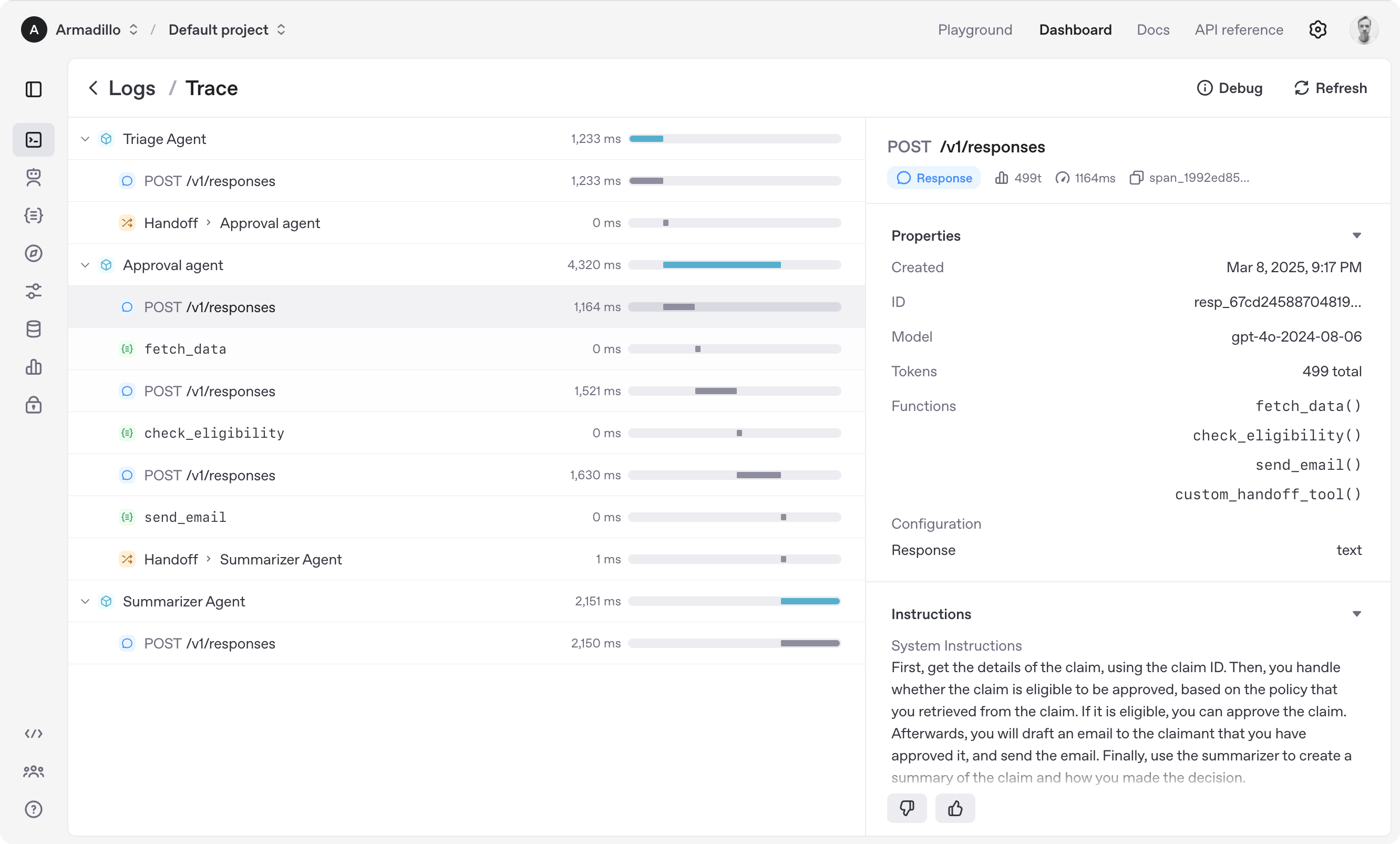
- Tracing: Built-in tracking of agent runs, allowing you to view, debug and optimize your workflows
- Realtime Agents: Build powerful voice agents with full features
Explore the examples/ directory to see the SDK in action.
Get started
Supported environments
- Node.js 22 or later
- Deno
- Bun
Experimental support:
- Cloudflare Workers with
nodejs_compatenabled
Check out the documentation for more detailed information.
Installation
npm install @openai/agents zod
Run your first agent
import { Agent, run } from '@openai/agents';

const agent = new Agent({
  name: 'Assistant',
  instructions: 'You are a helpful assistant',
});

const result = await run(
  agent,
  'Write a haiku about recursion in programming.',
);
console.log(result.finalOutput);
// Code within the code,
// Functions calling themselves,
// Infinite loop's dance.
(If running this, ensure you set the OPENAI_API_KEY environment variable)
Explore the examples/ directory to see the SDK in action.
Acknowledgements
We'd like to acknowledge the excellent work of the open-source community, especially:
We're committed to building the Agents SDK as an open source framework so others in the community can expand on our approach.
For more details, see the documentation or explore the examples/ directory.